Jira Reporting: Which Reports to Use and What They Miss
October 27, 2026
Amir Tavafi
11 min read

Jira reporting is the set of built-in reports and dashboards that show how tickets move through a sprint or a board. They answer a narrow question well: what got done, and how fast did tickets close. They go quiet on the question leaders actually ask, which is why work feels slow.
Key Takeaways
Q: What are the main Jira reports?
A: Jira Software includes sprint, burndown, velocity, cumulative flow, control chart, and created vs resolved reports, plus dashboards built from JQL filters. Each answers one question about tickets. None of them see pull requests or code review.
Q: Which Jira report is best for finding bottlenecks?
A: The control chart and the cumulative flow diagram. The control chart shows how long tickets take and how much that varies. Cumulative flow shows which status is growing. Together they point at where work waits.
Q: Why does Jira reporting miss code review delays?
A: Jira only knows a ticket sits in a status called In Review. The waiting happens inside a pull request on GitHub or GitLab, where time to first review and re-review loops live. Abloomify joins Jira with GitHub so that gap is visible.
Q: Should I use Jira velocity to compare teams?
A: No. Velocity depends on how each team estimates, so comparing it across teams measures estimating habits. Use it to forecast one team's next sprint, and watch cycle time for delivery speed.
What Reports Does Jira Have, and What Does Each One Answer?
Jira Software has a handful of built-in reports, and each one answers a single question about tickets. The sprint report shows what a team committed to and what it finished. The burndown chart shows work remaining against time inside a sprint. The velocity chart shows completed work per sprint across several sprints, which is a planning aid and nothing more. The cumulative flow diagram stacks tickets by status over time so you can see which column is swelling. The control chart plots how long individual tickets took and draws a rolling average through them. Created vs resolved shows whether the backlog is growing or shrinking. Epic and release reports roll these up for larger bodies of work. Scrum projects get the sprint-based ones, and kanban boards skip the sprint-based reports but keep the flow ones. All of them read from the same source, which is ticket status changes, and that detail matters later.
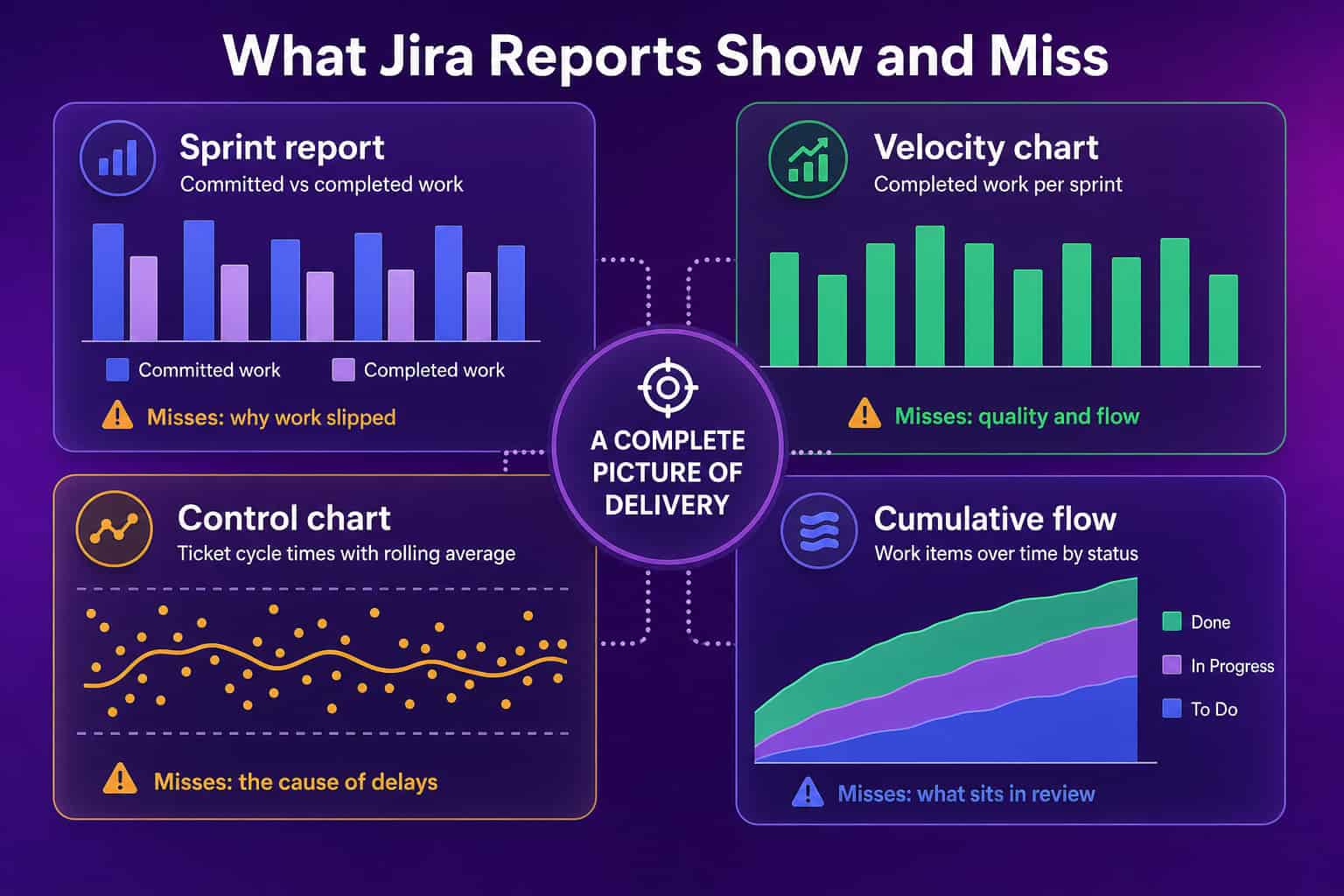
| Report | Question it answers | What it cannot see |
|---|---|---|
| Sprint report | Did we finish what we committed to? | Why work slipped |
| Velocity chart | How much do we usually complete per sprint? | Quality and flow |
| Control chart | How long do tickets take, and how much does that vary? | The cause of delays |
| Cumulative flow | Which status is piling up? | What is waiting inside review |
| Created vs resolved | Is the backlog growing? | Whether the right work is being picked |
I would not throw any of these away. Each one is useful when you read it for what it is, which is a view of tickets.
Which Jira Reports Should an Engineering Leader Actually Read?
An engineering leader should read the control chart and the cumulative flow diagram first, the sprint report second, and treat velocity as a team-internal planning number. The control chart tells you how long tickets take and how wide the spread is, and the spread is the more useful half. A team with a steady average and a huge spread has a few tickets that sit for weeks, and those usually carry the real story. Cumulative flow tells you whether work is entering faster than it leaves, because the in-progress band widens when it is. The sprint report tells you about commitment accuracy over time, and a team that misses by the same margin every sprint is estimating consistently, which is fixable. Velocity helps one team plan one sprint. Once it appears on a slide next to another team's velocity, it stops measuring anything real, because points mean different things in different rooms.
If you want the longer versions, we wrote up how to read a burndown chart, what a cumulative flow diagram shows, and how team velocity gets misused. The WIP limits guide covers what to do once cumulative flow shows a bulge.
How Do You Build a Jira Dashboard People Will Open?
Build a Jira dashboard around three or four saved filters that match questions leaders ask out loud, and delete everything else. Jira dashboards are made of gadgets, and every gadget reads from a filter written in JQL, so the work is deciding which questions deserve a filter. Good ones sound like sentences: which tickets have been in progress for more than a week, which tickets were reopened, what is blocked, what did we close this sprint. Bad ones are a wall of every available gadget, which looks thorough and gets ignored within a month. Name each gadget as the question it answers, set the dashboard to the team's board rather than the whole instance, and agree on one owner who prunes it each quarter. A dashboard nobody owns fills with stale filters. Pick the questions first and the gadgets follow.
There is a tension here that I have not fully resolved. A dashboard simple enough to read is too simple to explain a delay, and a dashboard detailed enough to explain a delay is too heavy to read. Most teams end up with the simple one and then a spreadsheet on the side.
What Does Jira Reporting Miss?
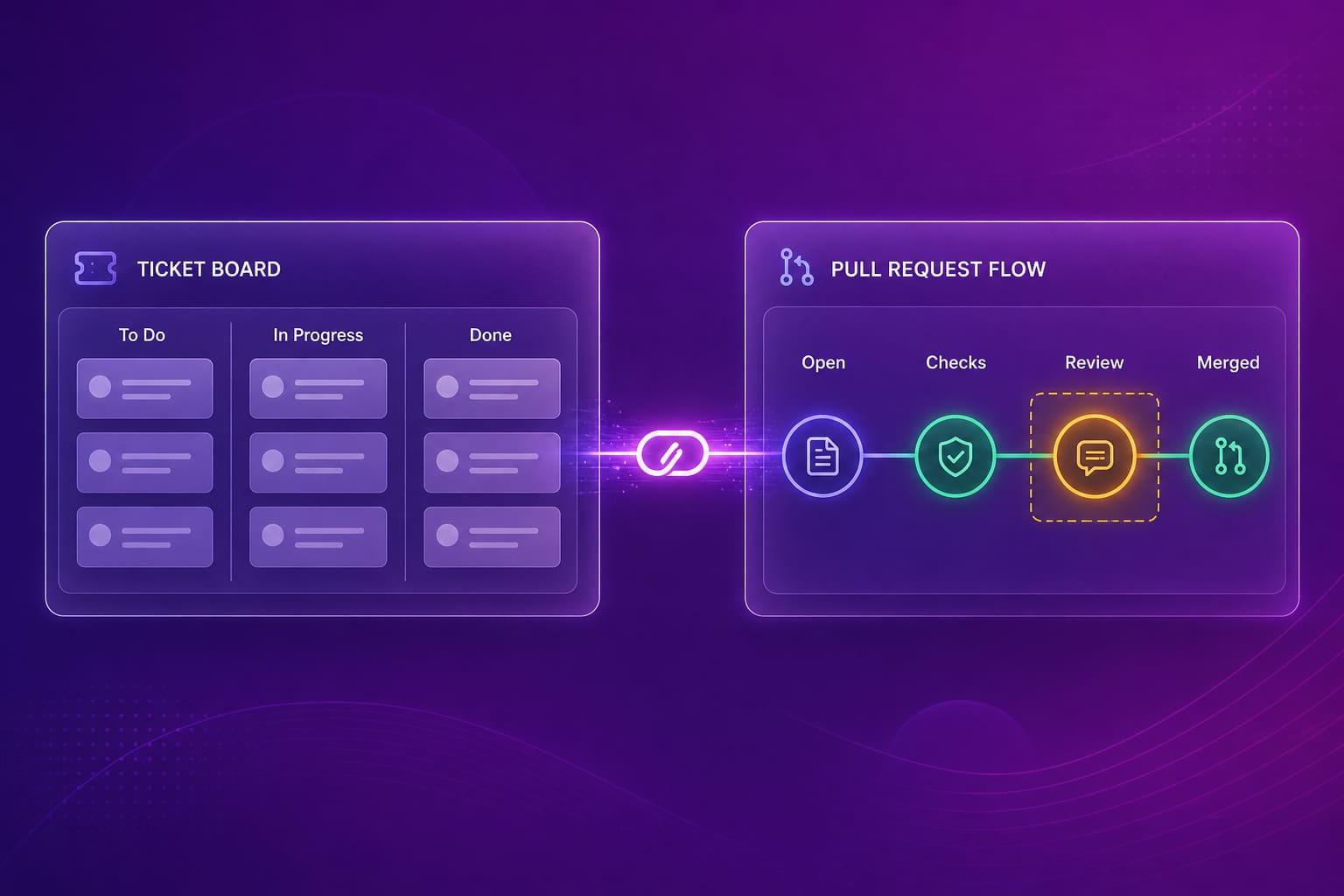
Jira reporting misses everything that happens outside the ticket, and for an engineering team the biggest gap is the pull request. A ticket moves to In Review, and from that moment Jira can only report that time is passing. It cannot tell you whether the pull request sat for two days before anyone opened it, whether it bounced through three rounds of feedback, or whether it was a huge diff that nobody wanted to read. Those are the delays that stretch a ticket's cycle time, and they live in GitHub or GitLab. Jira also cannot separate human work from AI-assisted work, so a sprint report cannot tell you whether Cursor or Copilot is shortening anything. And ticket status is self-reported, which means it is only as accurate as the habit of updating it. A ticket parked in In Progress for convenience looks the same as a ticket someone is working on.
When we started Abloomify I assumed leaders wanted more charts. What they wanted was to stop digging across five tools to answer a basic question like who is overloaded or why a release slipped. One of our first customers said what they did manually that week in a spreadsheet is what the product should do automatically. That sentence shaped most of how we think about reporting.
How Do You Combine Jira Data With Pull Request Flow?
You combine Jira with pull request flow by joining each ticket to the pull requests that closed it, then reading the ticket's cycle time as two parts: time spent being worked and time spent waiting for review. Most teams already put the ticket key in the branch name or pull request title, which makes the join possible. Once ticket and pull request are connected, a long cycle time can be split. If most of it is before the pull request opened, the work was big or blocked. If most of it is between open and first review, you have a reviewer capacity problem, and if it is spread across re-review rounds, feedback is unclear or changes are too large. Each one has a different fix. The guide to reducing code review cycle time covers the review side, and what a pull request is and why it stalls covers how the pieces fit.
You can do this by hand with exports from both tools, and I have watched people do it every Friday. It works until the person doing it goes on holiday.
Abloomify does the join for you. It connects Jira and GitHub or GitLab, computes PR cycle time, time to first review, review health, and self-merge rate, and shows sprint delivery from Jira as an opt-in view per company. Because it separates human and AI agent contribution, you can also see whether Cursor, Claude Code, or Copilot usage lines up with shorter cycle times or just larger diffs. All of it uses PII-free signals. The engineering productivity analytics page shows the full view, and the Jira integration page lists what gets read.
How Do You Report on Delivery Without Turning It Into Surveillance?
You report on delivery at the team level, using flow and timing signals, and you leave individual ranking out of it. This is the part that decides whether engineers trust the numbers. Counting tickets closed per person rewards splitting tickets into smaller ones. Counting commits rewards noise. Anything that watches a person's screen or keystrokes breaks trust faster than it produces insight, and 2026 survey research shows roughly 1 in 6 workers would quit over surveillance. The signals that help are about work moving through a system: how long tickets wait, how long reviews take, where the queue builds. Abloomify is privacy-first by design, with PII-free signals from your work apps, and no screenshots, keyloggers, or screen recording. Say what you measure, show the team the same view you see, and use it to fix queues, not to rank people. The engineering velocity metrics guide and developer productivity metrics go deeper on choosing signals, and DORA metrics are a reasonable shared language with the rest of the business.
A good test: if your reporting would make your own engineers uncomfortable to see, it is the wrong reporting.
FAQ
What reports does Jira have?
Jira Software ships with sprint, burndown, velocity, cumulative flow, control chart, created vs resolved, epic and release reports, plus dashboards you build from saved JQL filters. Which ones appear depends on whether the project is scrum or kanban. Abloomify reads Jira alongside GitHub so ticket data sits next to pull request flow.
How do I report on team performance in Jira?
Report on flow, not on individuals. Use the control chart for cycle time, the sprint report for commitment accuracy, and cumulative flow for where work piles up. Ranking people by tickets closed rewards ticket splitting. Abloomify frames Jira and GitHub data as team-level delivery signals, PII-free, with no screenshots or keyloggers.
Can Jira show how long code review takes?
Not directly. Jira knows a ticket moved to In Review and when it moved out, but it does not see the pull request, the first review, or the re-review loops. That detail lives in GitHub or GitLab. Abloomify joins the two so review waiting time shows up next to the ticket.
Is velocity in Jira a good performance metric?
No. Velocity is a planning aid for one team and depends on how that team estimates. Comparing it across teams, or setting targets on it, pushes people to inflate points. Use it to forecast a sprint, and use cycle time and review health to judge how delivery is actually flowing.
How do I get Jira data into a dashboard leaders will read?
Build a dashboard from saved filters for the few questions leaders ask, then connect Jira to a tool that adds delivery context. Abloomify connects Jira with an opt-in sprint delivery view and Bloomy can send a scheduled report by email, so leaders stop asking managers to paste charts into decks.
Does connecting Jira to Abloomify expose ticket content?
Abloomify is privacy-first and uses PII-free signals from work apps, meaning flow and timing metrics rather than message content. Sprint delivery intelligence from Jira is opt-in per company. For specifics on what is read, see the Jira integration page.

Amir Tavafi
Co-Founder & CEO
Product leader and innovator with over 15 years of experience in the tech sector, grounded in AI and robotics. Previously led product development in fraud detection and AI solutions at Nasdaq Verafin.