On-Call Rotation: How to Design One Engineers Can Live With
November 4, 2026
Amir Tavafi
12 min read

An on-call rotation is a schedule that shares after-hours incident response across a team, so no single engineer carries the pager all year. Most teams build one in an afternoon and then spend two years wondering why their best people look tired. This guide covers how to size a rotation, set limits, hand off cleanly, and spot overload with real work data before someone resigns.
Key Takeaways
Q: What is an on-call rotation?
A: An on-call rotation is a repeating schedule that assigns one engineer, sometimes two, to respond to production incidents outside normal hours. When the shift ends, the pager passes to the next person. A good rotation also defines escalation, handoff notes and how much load one person can take.
Q: How many engineers do you need for an on-call rotation?
A: Count backwards from how often you are willing to ask one person to carry the pager. With four engineers on weekly shifts, each person is on call 13 weeks a year. Google's SRE book gives a floor of eight engineers for a single-site 24/7 rotation. Smaller teams usually need to narrow the scope of what pages.
Q: What makes an on-call rotation fair?
A: A written pager budget, a shift swap rule, paid or compensated time, and a handoff that does not rely on memory. Fairness is mostly about predictability. People accept a hard week when they know it comes round once every couple of months and that recovery time is real.
Q: How do you know if an on-call rotation is hurting your team?
A: Look at pages per person per shift, night pages specifically, repeat alerts, and whether the same two or three engineers keep absorbing the incidents. Then check the work data around it: after-hours activity, review delays and fix-time trends tell you what the pager does to the following week.
Q: Can work data show on-call overload before people say something?
A: Often, yes. Workload balance, after-hours work patterns and delivery trends from GitHub and Jira move before people raise their hand. Abloomify surfaces these from PII-free signals, so a manager sees who is carrying the load without reading anyone's messages or watching their screen.
What is an on-call rotation, and what does it include?
An on-call rotation is a repeating schedule that decides which engineer is the first responder for production issues outside working hours, and who backs them up when the first responder cannot fix it alone. A working rotation has five parts: a primary who takes the page, a secondary who catches what the primary cannot, an escalation path to someone with authority to wake up a service owner, a fixed shift length, and a written handoff between shifts. If any of the five is missing, people improvise at 3am, and improvised processes are the ones that burn engineers out. Teams often add a sixth part, a short list of which alerts are allowed to page a human at all, because the alert list decides the load more than the schedule does.
Here is the part most guides skip. The schedule is the easy half. The hard half is the load that lands on the schedule: how many pages fire, how many of them need a human, and which three people end up fixing them. You can design a perfectly even rotation and still have one engineer carry the real weight because they know the billing service.
How many people do you need in an on-call rotation?
You need enough people that being on call is an occasional event, not a lifestyle. The arithmetic is simple. If your rotation has N engineers on weekly shifts, each one is on call 52 divided by N weeks per year. With four people that is 13 weeks. With six it is about nine. With eight it is six and a half. Google's SRE book sets a floor of eight engineers for a single-site 24/7 rotation and six per site when you split across two. Those numbers assume a busy production system, so treat them as a reference point rather than a rule. The honest read for a 15-person startup is that you probably cannot staff a true 24/7 rotation yet, which means you either narrow what pages, or accept that the same small group carries the pager and pay them accordingly.
I think most on-call problems are staffing problems that get filed as scheduling problems. Swapping the order of names on a spreadsheet does nothing if there are only four names. If you want the rotation to feel lighter, the options are to add people, shrink the surface that pages, or both. Moving Tuesday's shift to Wednesday is not on the list.
Which on-call schedule works best: weekly, daily, or follow-the-sun?
Weekly shifts are the default for a reason. One engineer owns a full seven days, sees related incidents in context, and hands off once instead of seven times. Daily shifts spread the strain thinner and suit teams with a noisy pager, but they multiply handoffs and make it harder for anyone to build up context. Follow-the-sun rotations hand the pager across time zones so nobody works nights, and they are the best answer if you have engineers on three continents and enough of them in each region. Split shifts, such as weekday and weekend rotations run separately, let people trade a rough weekend for an easier week. The right choice depends on pager volume and team geography. Pick the one that gives the fewest broken nights per person per quarter.
| Schedule | Works best when | Watch out for |
|---|---|---|
| Weekly shift | Pager is mostly quiet and the team is co-located | One bad week can wreck an engineer |
| Daily shift | Pager is noisy and incidents are short | Many handoffs, little context |
| Follow-the-sun | Engineers in three or more time zones | Needs enough people in each region |
| Weekday and weekend split | Weekends are the pain point | Two schedules to maintain |
If you need a starting point for an on-call schedule template, begin with weekly primary and secondary shifts, a shared swap channel, and a one-page handoff doc. You can add complexity once you have a month of data on how often the pager actually fires.
What rules keep an on-call rotation fair?
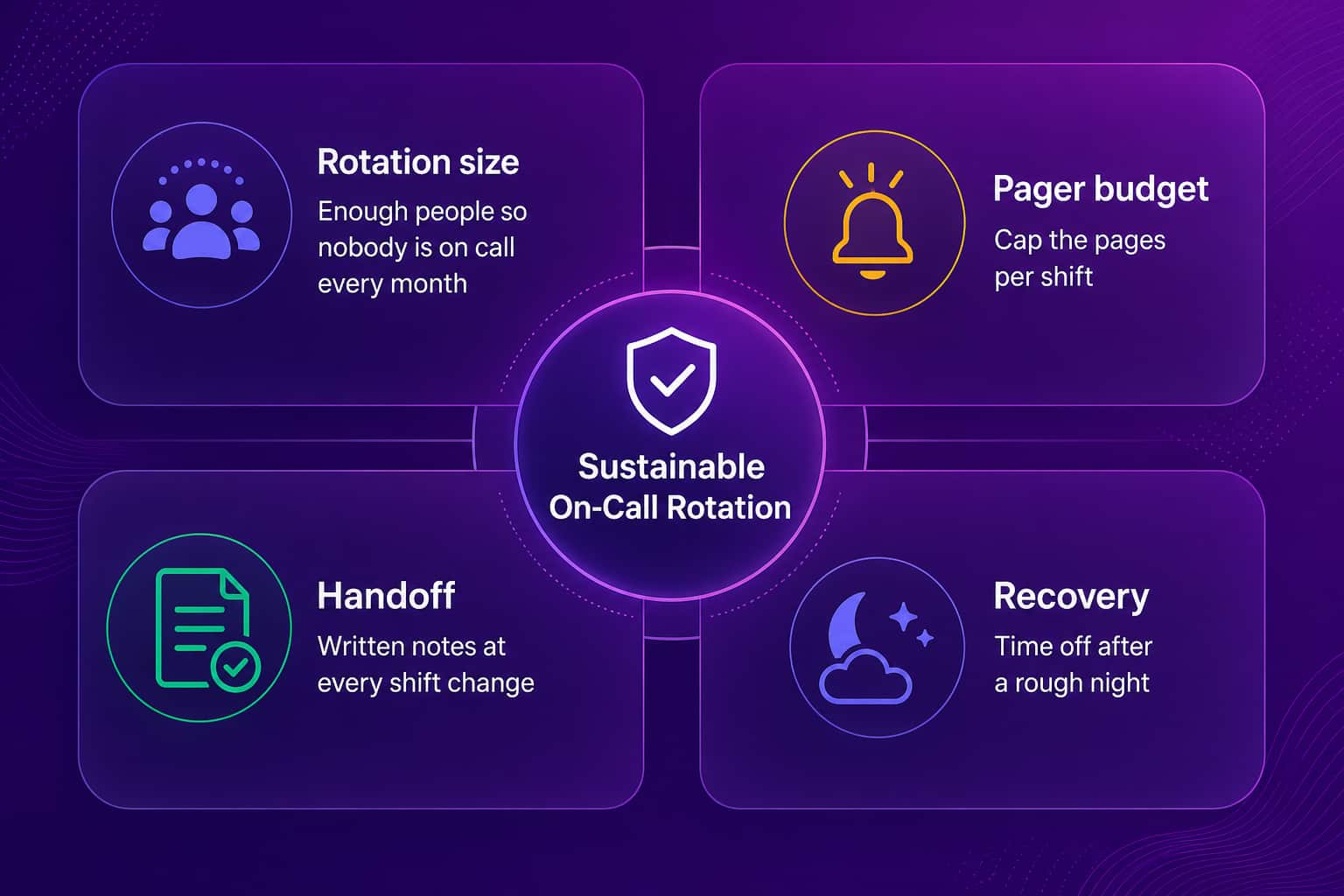
A fair on-call rotation runs on a short list of written rules that apply to everyone, including the engineering manager. The rules that matter most are a pager budget that caps how many incidents one person should absorb per shift, a swap policy so people can trade shifts without asking permission, compensation in pay or time off that is decided before the first page, a handoff note at every shift change, and a shadow period for new hires. Google's SRE book uses a reference of at most two incidents per 12-hour shift and suggests keeping on-call to a quarter of an engineer's time. You may land elsewhere, but pick a number and write it down. When the number is breached for two shifts in a row, the team stops feature work and fixes the noise. That is the rule that gives the budget teeth.
A few practices that I have seen separate rotations people tolerate from ones they resent:
- Pay for on-call or give time back, ideally both, and decide it before the first page, not after the first complaint
- Give a full day off, or the following morning, after a night with more than one broken sleep
- Make every alert have an owner and a runbook link, and delete any alert that fires without needing action
- Let the person who got paged write the postmortem draft while it is fresh, then rotate reviewers
- Keep new hires on shadow and secondary slots until they have handled a few incidents with backup
How do you measure whether your on-call rotation is healthy?
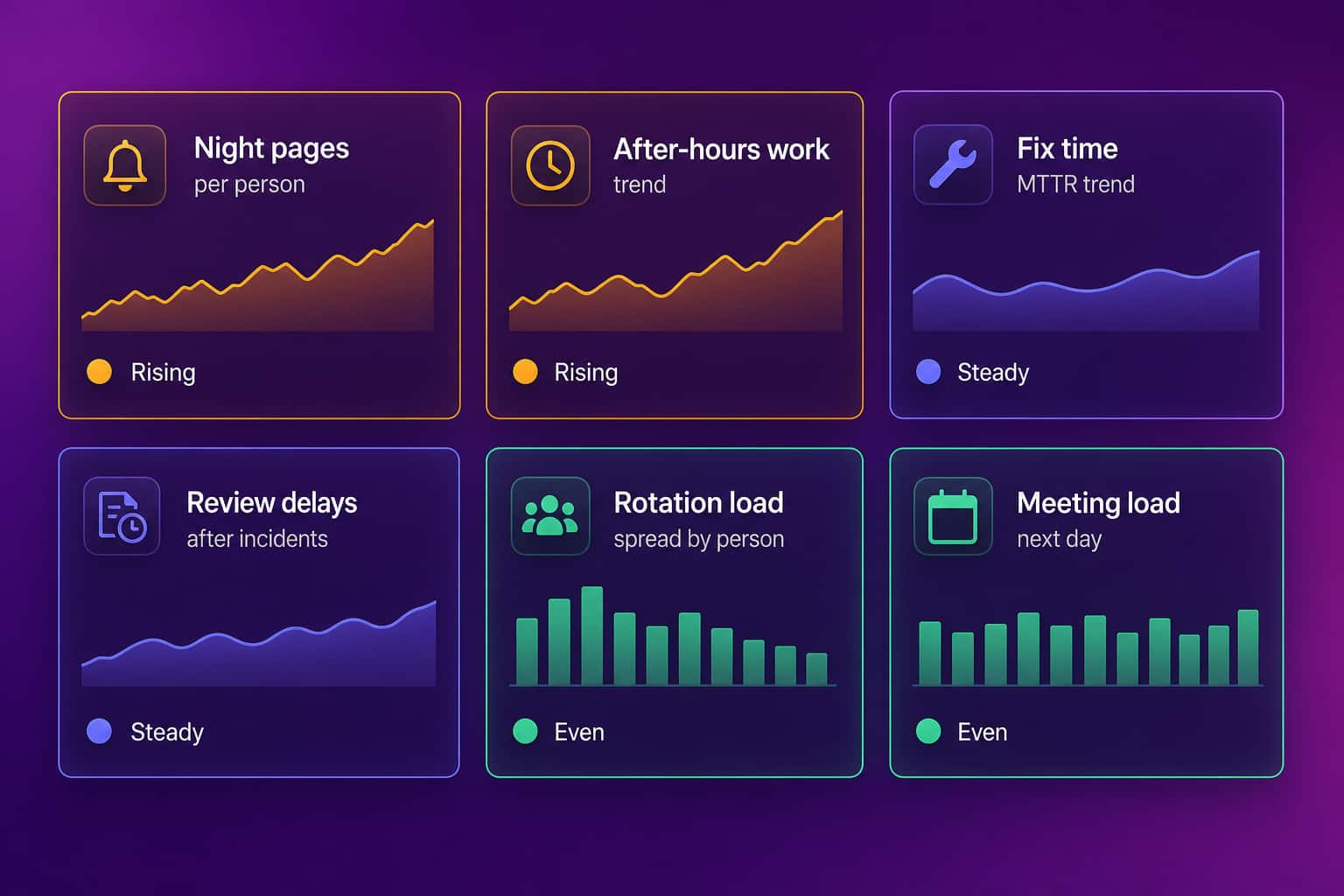
Measure the load on people first and the health of the service second. The pager stats that matter are pages per person per shift, how many of those landed between 10pm and 7am, how many were duplicates or needed no action, and whether the pages are spread across the team or pile up on the same two or three names. Then add the delivery numbers that show what the pager does to the week after: MTTR trend, change failure rate, and review delays in the days following a rough shift. If MTTR is climbing while the same engineer keeps closing incidents, you have a knowledge concentration problem that a rotation cannot fix on its own. The shape of the data tells you more than any single average, so look at distribution by person, not just team totals.
If you already track DORA metrics, you have most of this. Our write-ups on how to measure MTTR honestly, change failure rate and DORA metrics cover the delivery side. The people side is the part teams skip, and it is where developer burnout starts.
Can work data show on-call overload before your engineers tell you?
Yes, in many cases the data moves first. Engineers on a hard rotation rarely say so in a stand-up. They work a bit later, review fewer PRs the week after an incident, take longer to close tickets, and quietly stop volunteering. Those patterns show up in the work systems you already run: GitHub, Jira, calendar. A manager who looks at workload balance, after-hours activity and delivery trends by person can see which engineers are carrying the pager in practice, not just on the schedule. The catch is how you collect it. Reading Slack messages or capturing screens to find tired people destroys the trust the rotation depends on. The better approach is aggregate, PII-free work signals that show load and trend without reading content.
The question I hear most from engineering leaders is some version of "who is overloaded right now?", and answering it usually means digging across five tools. That is the gap Abloomify fills. It is a privacy-first workforce intelligence platform that connects GitHub, Jira and 100+ other integrations, then shows workload balance across engineers, after-hours work patterns, and DORA metrics including MTTR and change failure rate. Its burnout detection works from work patterns, not surveys, and the product page claims it can flag risk 60+ days early. Be clear about what it is not: Abloomify does not page anyone or build your rotation. Your paging tool does that. Abloomify shows what the rotation is doing to your people. See burnout detection, engineering leader views, and our take on measuring velocity without losing morale.
What should you fix first if your on-call rotation is already broken?
Fix the alert list first, then the staffing, then the schedule, in that order. Export the last 30 days of pages and sort them by how often each alert fired and whether anyone took action. Delete or downgrade anything that woke someone up and needed nothing. That one pass usually removes more load than any scheduling change. Next, count who actually resolved incidents, and if two people did most of the work, pair them with a secondary on every shift so the knowledge spreads. Then check headcount against the arithmetic above. If you have four people and a 24/7 pager, say so out loud to the people above you and ask for either two more hires or a narrower scope. Last, write the pager budget and compensation rules down and share them. A rotation people can predict is one they will keep doing.
Start with the alerts. Then the names. The schedule can wait a week.
FAQ
How long should an on-call shift be?
One week is the most common length because it gives the engineer continuity across related incidents and keeps handoffs to a minimum. Daily shifts spread the pain thinner but multiply handoffs. If your pager is quiet, go weekly. If nights are routinely broken, shorten the shift or add a secondary so nobody absorbs a full week alone.
How many pages per shift is too many?
Google's SRE book uses a ceiling of two incidents per 12-hour shift as a reference point. Treat that as a starting line, not a law. The better test is whether people sleep through most nights and whether every page needs a human. Any alert that fires without requiring action should be fixed or deleted.
Should on-call be paid?
Yes, in pay, in time off, or both. Unpaid on-call is a hidden pay cut, and engineers notice. A flat stipend per shift plus compensatory time after a bad night is a common pattern. What matters is that the rule is written down and applied the same way to everyone.
Should new engineers be on call?
Eventually, yes, but not on day one. Have them shadow a primary for a full shift first, then take a secondary slot, then go primary once they have handled a few incidents with someone backing them up. Putting a new hire on the pager alone is how you lose them.
Can Abloomify manage my on-call schedule?
No. Abloomify does not page anyone or build rotations. It shows the load around your rotation: workload balance across engineers, after-hours work patterns, MTTR and change failure trends from GitHub, and burnout signals. All from PII-free work signals, with no message content read and no screenshots.
Sources: Google SRE book, Being On-Call.

Amir Tavafi
Co-Founder & CEO
Product leader and innovator with over 15 years of experience in the tech sector, grounded in AI and robotics. Previously led product development in fraud detection and AI solutions at Nasdaq Verafin.