WIP Limit: How to Set One That Your Team Will Keep
October 5, 2026
Amir Tavafi
10 min read

A WIP limit is a hard cap on how many work items your team can have in progress at once. When the cap is hit, nobody starts anything new until something finishes. Abloomify's engineering productivity analytics read open PRs and issue stages from GitHub and Jira, so you can see whether a limit is holding and whether cycle time moves when you set one.
Key Takeaways
Q: What is a WIP limit in plain terms?
A: It is a cap on in-progress work, set per team or per stage like Review. When the cap is full, people finish or unblock something instead of pulling a new ticket. The effect is shorter cycle time, because work stops waiting behind everything else you started.
Q: Why does limiting work in progress make delivery faster?
A: Little's Law: average cycle time equals work in progress divided by throughput. If your team finishes 3 items a week with 12 in flight, each item takes about 4 weeks. Cut WIP to 6 at the same throughput and each item takes about 2 weeks.
Q: How do you pick the number?
A: Start near one active item per engineer, run it for two to four weeks, and adjust. If the limit never triggers, lower it. If the team is blocked all day, raise it by one. Check PR cycle time in Abloomify before and after.
Q: Can you see WIP without surveys or status meetings?
A: Yes. Open PRs per author in GitHub and issues by stage in Jira already describe it. Abloomify reads those signals with 100+ API integrations and no screenshots, keyloggers, or content capture, so nobody has to report anything.
Why more work in progress makes everything slower
Every item you start but do not finish is inventory. It holds context in someone's head, it can go stale against main, and it competes with every other open item for review attention. The arithmetic is simple and it is not a matter of opinion. Little's Law, a result from queueing theory, says that average cycle time equals average work in progress divided by average throughput. Take a team that finishes 3 items per week and carries 12 in flight. Each item takes about 4 weeks from start to done. Now say the same team carries 6 items and still finishes 3 per week. Each item takes about 2 weeks. Nobody typed faster. The queue got shorter. That is the whole case for a WIP limit, and it is why the lever that most teams reach for last (start less) is usually the one that works first.
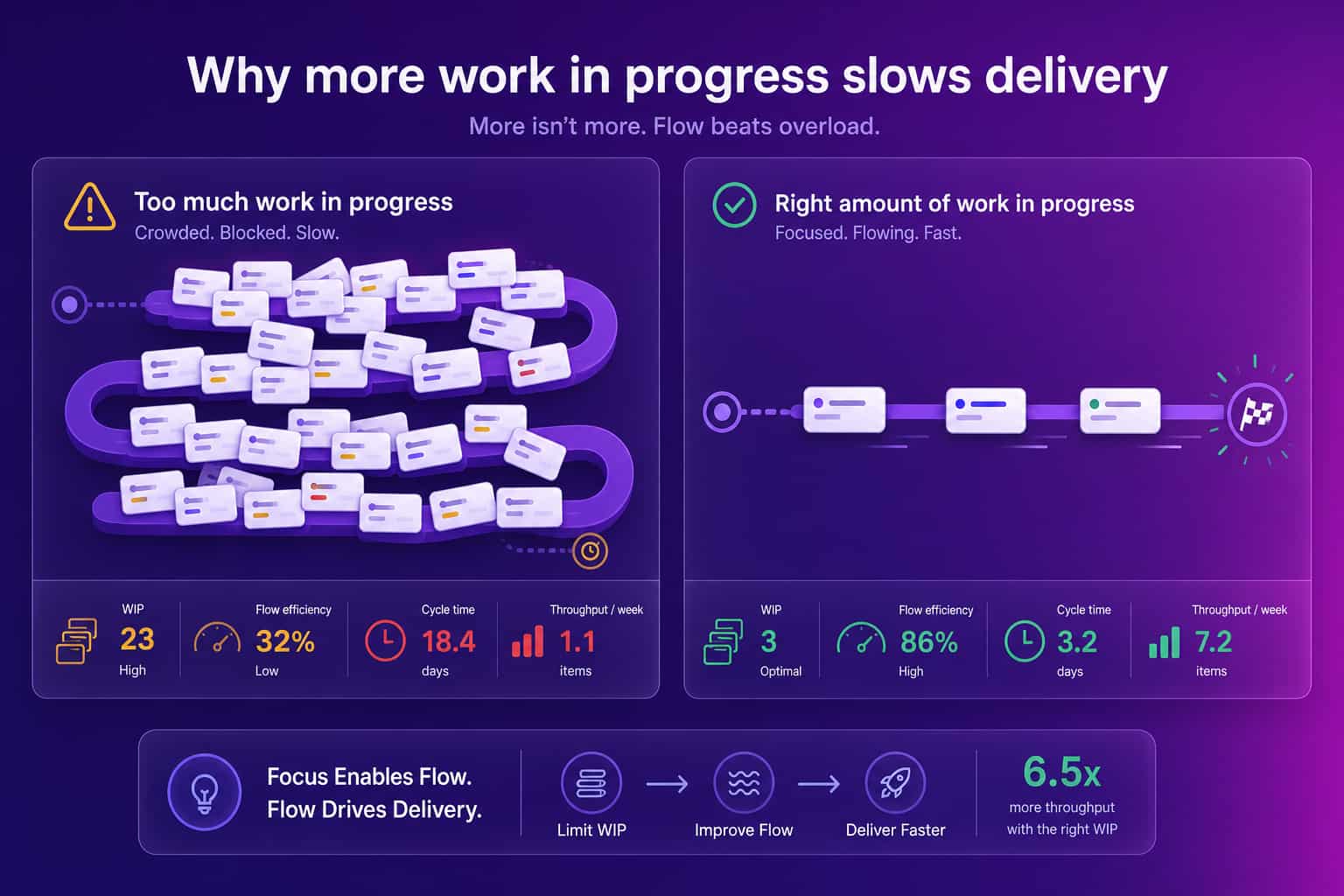
The human cost shows up before the numbers do. Engineers juggling five open items switch between them all day, and every switch has a restart cost. We wrote about that in reducing context switching on engineering teams, and a WIP limit is the most direct structural fix for it. It does not ask anyone to focus harder. It removes the option to be spread thin.
There is a catch, and I think it is worth saying out loud. A WIP limit makes a team look slower for about a week. People finish a task, find the board full, and have to do something uncomfortable: review a teammate's PR, help unblock a ticket, or just wait. Leaders who read that as lost productivity kill the experiment before it pays off. Tell the team up front that week one will feel wrong.
How to set a WIP limit step by step
Pick a starting number from the team you have, run it long enough to learn something, and adjust from evidence. The lowest-risk starting point for a software team is one active item per engineer, and slightly fewer than that if people pair often. A six-person team starts with a team-wide limit of six, or five if you want a nudge toward swarming. Then add a stage limit on Review, because review is where work piles up silently. Set it to roughly the number of reviewers you have, so each reviewer holds at most one PR at a time. Write both numbers on the board where everyone sees them. Run the experiment for two to four weeks before changing anything, because a single week of data is mostly noise.
Here is the rule for what to do when the limit is hit. Nobody pulls new work. You finish something, you unblock something, or you help review. In that order. The order matters, because the instinct under pressure is to open a new ticket "just while I wait," and that instinct is what the limit exists to override.
- Count what is really in flight. Include open PRs, tickets in progress, and anything someone is "mostly done" with. Hidden work is the most common reason a limit looks like it is not working.
- Set the team limit and a Review limit. One per engineer and one per reviewer are fine first guesses.
- Agree on the swarm rule. When full, finish, unblock, or review before starting.
- Decide what counts as an exception. A production incident can bypass the limit. A VP asking nicely cannot.
- Review after two to four weeks. Look at cycle time, how often the limit was hit, and how long items sat blocked.
How to tell if your WIP limit is working
A limit that is never reached changes nothing, and a limit that is always blown through is decoration. The useful signals are how often the cap is hit, how long items wait in each stage, and what PR cycle time does over the next few weeks. If cycle time is flat and the limit is rarely hit, lower it. If the team is blocked most of the day and throughput is falling, raise it by one and look for the real bottleneck, which is usually review capacity. The goal is a limit that is hit a few times a week, which means it is tight enough to create pressure and loose enough to leave people productive.
You can read most of these signals from systems your team already uses. Open PRs per author in GitHub is WIP at the individual level. Issues by stage in Jira is WIP at the team level. PR cycle time and time to first review tell you whether the limit is paying off. Abloomify tracks PR cycle time, time to first review, review health, and PR size alongside the Jira stage data, from the same connected sources and without capturing code or message content. That matters here because a WIP limit is a team-level experiment. You want the team to see its own numbers improve, not feel watched.
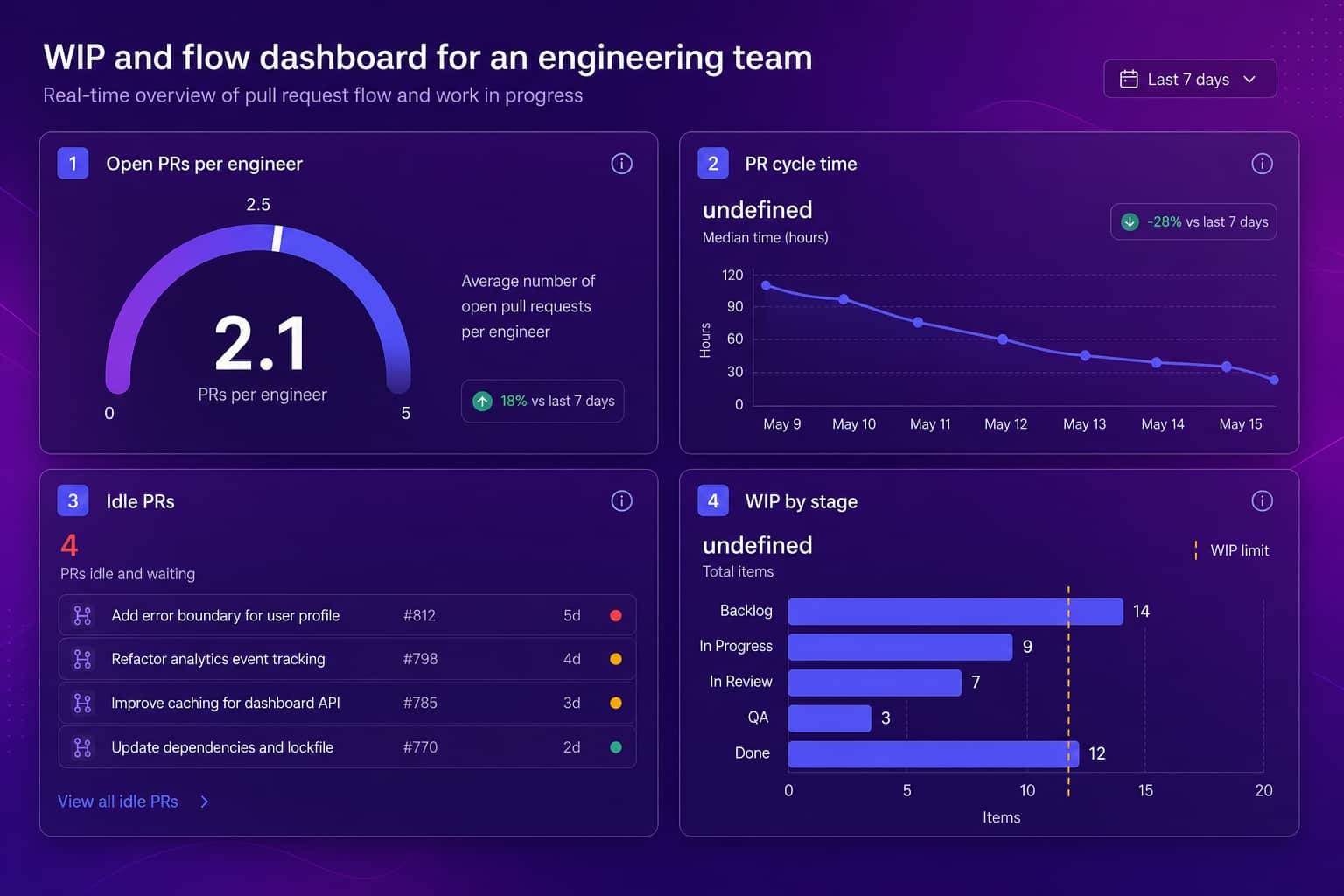
If you want the full picture of how WIP relates to the rest of flow, our guide to flow metrics covers flow load next to flow time and flow efficiency. For the difference between the two clocks you are trying to shorten, see cycle time vs lead time.
Where WIP limits go wrong
Most failed WIP limits fail in one of four ways, and all four are fixable. The first is setting the limit and never enforcing it, so the board becomes a suggestion. The second is limiting only the In Progress column and ignoring Review, which just moves the pile one column to the right. The third is hiding work: tickets get split into tiny pieces or kept off the board so the count stays legal, and the metric becomes fiction. The fourth is using the limit as a management stick. The moment engineers feel a WIP limit is being used to grade them individually, they will game it, and then you have lost both the number and the trust.
A related failure is a limit that fights your real constraint. If one senior engineer reviews every PR, limiting In Progress will not help, because the queue forms in Review. Look at where items wait longest, put the tightest limit there, and fix the capacity problem behind it. Our piece on right-sizing diffs and WIP to reduce PR churn goes deeper on pairing small PRs with a Review limit, since big diffs and a full review queue tend to travel together.
What to do on Monday
Pick a number and write it on the board today. Count in-flight work honestly, set a team limit and a Review limit, and agree on what the team does when the board is full. Then leave it alone for three weeks. Look at PR cycle time before and after, and ask the team whether finishing felt different from starting. If you run Abloomify, a scheduled Bloomy task can send the open-PR count and cycle time to your inbox each Monday, so the check does not depend on someone remembering to look.
Start less. Finish more.
FAQ
What is a WIP limit?
A WIP limit is a cap on how many work items can be in progress at the same time, either across a whole team or in a single stage like In Progress or Review. When the cap is reached, nobody pulls new work until something finishes. The point is to stop starting and start finishing.
What is a good WIP limit for a software team?
There is no universal number. A common starting point is one active item per engineer, or slightly fewer if your team pairs a lot. Run it for two to four weeks, watch cycle time and how often the limit gets hit, then adjust. If the limit is never reached, it is too loose to change anything.
Do WIP limits slow teams down?
They feel slower in the first week because people sit idle or swarm on a blocker instead of starting something new. Over a few weeks cycle time usually drops, because work stops queuing behind everything else. Throughput stays roughly flat while the time each item takes gets shorter.
What is the relationship between WIP and cycle time?
Little's Law says average cycle time equals average work in progress divided by average throughput. If throughput holds steady, doubling WIP doubles how long each item takes. That is why the cheapest way to shorten cycle time is usually to start less work, not to work faster.
How do you measure WIP without asking engineers to report it?
Read it from the systems where work already lives. Open pull requests per author in GitHub and issues by stage in Jira give you WIP with no status meeting and no self-reporting. Abloomify reads those signals directly and tracks PR cycle time next to them, without capturing code or message content.

Amir Tavafi
Co-Founder & CEO
Product leader and innovator with over 15 years of experience in the tech sector, grounded in AI and robotics. Previously led product development in fraud detection and AI solutions at Nasdaq Verafin.