What Is Cursor AI? A Straight Answer for Eng Leaders (2026)
July 24, 2026
Reza Vatani
11 min read

What is Cursor AI? Cursor AI is an AI-native code editor built around an agent that reads your entire codebase and edits across many files from a single plain-language instruction. It is a fork of VS Code, so it looks familiar, but the agent is the product, not the autocomplete. At Abloomify, we run Cursor on our own engineering team, and we also measure whether it actually makes teams ship faster. Both of those answers matter, so this guide covers what Cursor is and how to prove it earns its seats.
Key Takeaways
Q: What is Cursor AI, in one sentence?
A: Cursor AI is an AI-native code editor, forked from VS Code, built around an agent that reads your whole repository and edits across multiple files from a single instruction. The agent, not inline autocomplete, is the reason engineers switch to it.
Q: How is Cursor different from GitHub Copilot?
A: Copilot is an assistant layered onto your current editor, best at inline completion and chat. Cursor is a full editor whose agent edits across many files and reasons over large codebases. Copilot fits your workflow; Cursor changes the editor to get a more agentic one.
Q: Is Cursor AI worth paying for?
A: For many teams, yes, especially on large codebases. Our team at Abloomify saw a large velocity jump after switching from Copilot to Cursor. But the answer lives in your delivery data, not a feature list, so measure PR cycle time and throughput before and after.
Q: How do I know if Cursor is actually speeding up my engineers?
A: Connect usage to output. Abloomify imports signals from Cursor, Claude Code, and GitHub Copilot and correlates them with PR cycle time, throughput, and review health, then separates human from AI agent contribution. Adoption alone is not impact.
What is Cursor AI?
Cursor AI is a standalone code editor that puts an AI agent at the center of how you write software, and because it is forked from Visual Studio Code, your extensions, keybindings, and themes carry over on day one. The difference is what happens after you start typing. Instead of only suggesting the next few lines, Cursor can take an instruction like "add rate limiting to every public API route and update the tests," read the relevant files across your repository, and propose a multi-file change you review and accept. It indexes your codebase so its answers are grounded in your actual code, not a generic model guess. Engineers use it for refactors, for understanding unfamiliar code, and for writing tests. Leaders care about it because a growing share of their team is already using it, often expensed one seat at a time, before anyone has measured what it returns.
How does Cursor AI actually work?
Cursor works by combining a familiar editor with an agent that has read access to your whole project, which lets it reason about code the way a new teammate would after a week of ramp-up, except in seconds. The core surfaces are worth knowing by name because they shape how a team adopts it. Tab is the inline prediction that completes code and suggests the next edit as you move through a file. Chat answers questions about the codebase in plain language and can cite the files it read. The Agent (Cursor's Composer workflow) takes a goal, plans the edits, changes multiple files, and can run commands and tests, then hands you a diff to approve. It pulls context automatically from open files and the indexed repo, and you can point it at specific files or docs when you want tighter control.
- Tab completion: fast inline suggestions, the lowest-friction entry point for skeptical engineers.
- Chat with codebase context: ask "where do we validate webhooks?" and get an answer grounded in your files.
- Agent / Composer: multi-file edits from one instruction, with a reviewable diff and optional test runs.
- Model choice: route requests to different frontier models depending on the task and your plan.
- VS Code compatibility: most extensions, settings, and shortcuts work without changes.
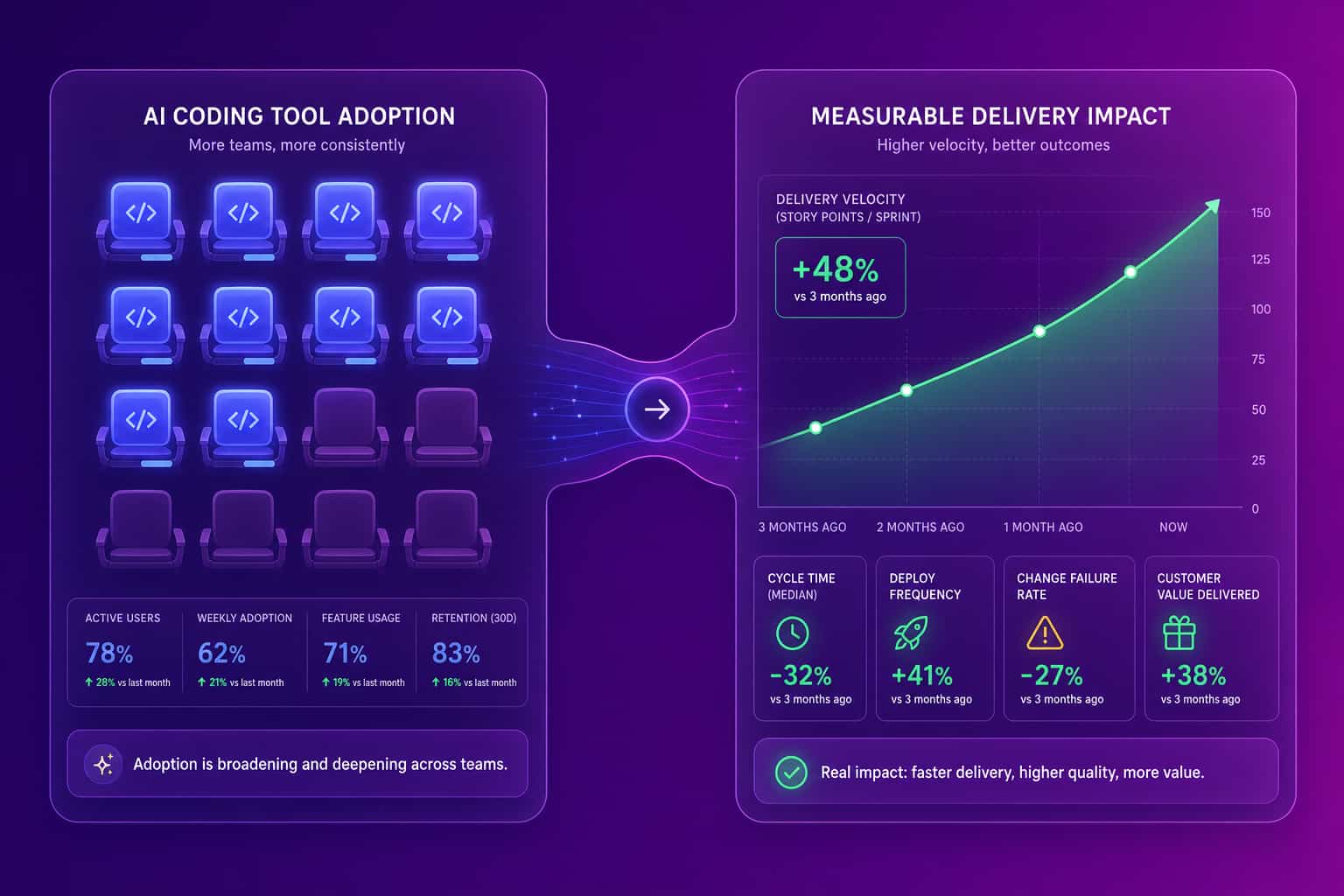
Cursor AI vs GitHub Copilot vs Claude Code
The honest comparison is that all three write code that compiles, so the choice comes down to workflow, governance, and which one your delivery data rewards. GitHub Copilot is the safe default for teams that live in VS Code or JetBrains and want tight GitHub integration and enterprise controls. Cursor wins for engineers who want an AI-native editor with strong multi-file agent edits and large-codebase context. Claude Code is a terminal-first agent that many engineers run alongside their editor for long-running, autonomous tasks. Most teams end up with a mix, which is exactly the problem: mixed tools fragment the signal and make ROI hard to read. For a deeper head-to-head, our Copilot vs Cursor comparison breaks down the tradeoffs, and our guide to GitHub Copilot metrics covers what those seats actually return.
| Dimension | Cursor | GitHub Copilot | Claude Code |
|---|---|---|---|
| Form factor | Full AI-native editor (VS Code fork) | Assistant inside your existing editor | Terminal-first coding agent |
| Best at | Multi-file agent edits, large-codebase context | Inline completion, GitHub-native workflow | Long-running autonomous tasks |
| Switching cost | Move to a new editor | None, stays in your IDE | None, runs in the terminal |
| Enterprise controls | Business plan admin controls | Mature, GitHub org governance | Team and enterprise controls |
| Measured with Abloomify | Yes | Yes | Yes |
How much does Cursor AI cost?
Cursor uses a per-seat model with a free tier, an individual paid tier, and a team tier, which keeps the barrier to trying it low and the cost of scaling it real. The free Hobby plan gives engineers limited AI usage to test the workflow. The Pro plan raises usage limits and unlocks stronger models for individual developers. The Business plan adds admin controls, centralized billing, and team management for organizations that want to standardize. Cursor changes its plans and limits frequently, so treat any specific number you read as a snapshot and confirm the current pricing on cursor.com before you roll it out. The bigger cost question is not the sticker price per seat. It is whether the seats you buy translate into faster, safer delivery, which is a measurement problem, not a pricing one.
Is Cursor AI worth it? The question leaders actually have
Whether Cursor is worth it depends on your codebase and your team, and the most credible evidence I can give you is our own: at Abloomify, we switched from GitHub Copilot to Cursor, and my co-founder Amir has called it one of the best decisions we made for the company that year, estimating it lifted our product velocity by roughly 10x on the work where the agent fits well. That is a real result from a real team, and it is also exactly the kind of claim you should not accept from a vendor, including me, without your own numbers behind it. LLM-backed tools are very good at making you feel confident about a decision before the data is in. The right move is to try the new tool, give it a genuine chance, and then check whether your delivery metrics moved. Adoption is a leading indicator. Impact is the one that pays for the seats.
Where Cursor shines
Where teams stumble
How to measure whether Cursor AI is making your team faster
You measure Cursor's impact by connecting tool usage to delivery output, because active seats and faster shipping are two different things and only one of them is worth paying for. Abloomify imports usage signals from Cursor, Claude Code, and GitHub Copilot and correlates them with the metrics that actually describe delivery: PR cycle time, throughput, time to first review, and review health. It then separates human contribution from AI agent contribution across tasks, code, PRs, and reviews, so you can answer the question that keeps a VP of Engineering up at night: are the engineers who lean hardest on Cursor shipping more and reviewing faster, or just generating more diff for humans to clean up? That comparison is a cohort analysis, not a survey, and it is the difference between a defensible ROI story and a hunch. Our privacy-first architecture means we read PII-free usage and delivery signals, never your source code content, screenshots, or keystrokes.
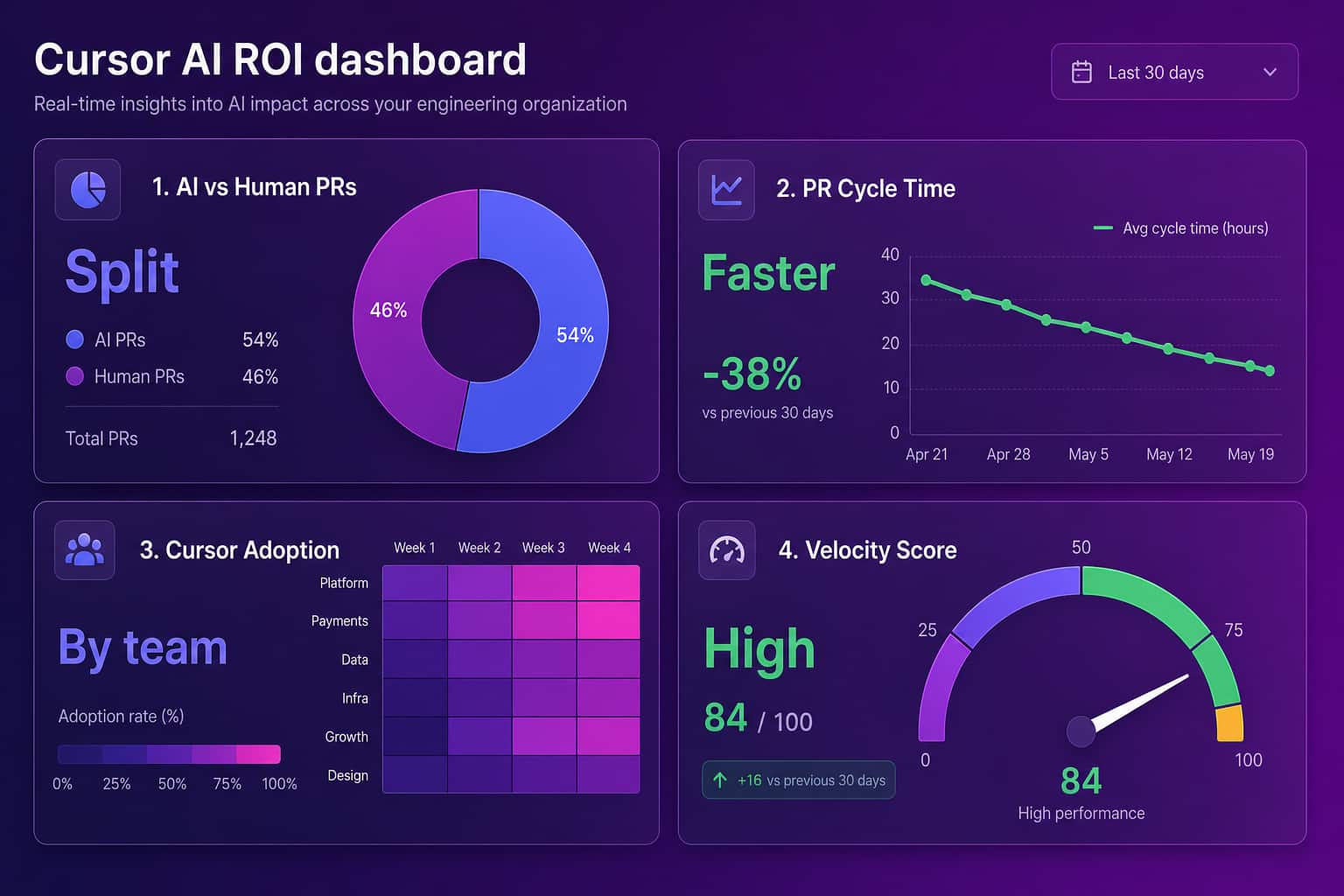
Four things are worth putting on a dashboard before and after you roll out Cursor, so a 30-day picture tells you whether to expand the license or pull it. Tie each one to a team, not just a company average, because adoption is almost never uniform.

- Adoption: active Cursor seats by team, not licenses purchased. Dormant seats are pure cost.
- Output: PR cycle time and throughput, measured against the same team's pre-Cursor baseline.
- Human vs AI contribution: how much of the merged work came from the agent, so quality reviews stay honest.
- Quality: change failure rate and review health, so speed does not quietly buy you rework.
This is the same logic behind measuring engineering velocity without hurting morale and behind our engineering productivity analytics. If you already standardize your team on Cursor or Claude Code, you can also connect those tools to your company knowledge through our MCP setup guide, so the assistant answers from your data, not the public internet.
Should your whole team switch to Cursor?
Not on faith, and not all at once. Run Cursor with one or two teams, set a baseline first, give it a real month, and read the delivery data before you buy seats for everyone. The tool is good. The velocity gains are real for the right work. But the decision that survives a board meeting is the one with a number attached, and the number comes from your pipeline, not a review site. Try the new tools. Then let your data pick the winner.
FAQ
What is Cursor AI used for?
Cursor AI is used for writing, refactoring, and understanding code with an AI agent that reads your whole repository. Engineers use it for multi-file refactors, generating and updating tests, and asking plain-language questions about unfamiliar code. Because it is a VS Code fork, teams adopt it without relearning their editor, which is a big part of why it spreads fast.
Is Cursor AI better than GitHub Copilot?
Neither is better for everyone. Copilot is the safer default for VS Code and JetBrains shops that want GitHub-native workflows and mature governance. Cursor wins for engineers who want an AI-native editor with strong multi-file agent edits. The deciding factor should be which one your delivery data rewards, which Abloomify measures by correlating usage with PR cycle time and throughput.
How much does Cursor AI cost per user?
Cursor uses per-seat pricing with a free Hobby tier, a paid Pro tier for individuals, and a Business tier that adds admin controls and centralized billing. Exact prices and usage limits change often, so confirm current numbers on cursor.com. The more important cost question is whether the seats you pay for are active and translating into faster delivery.
Is Cursor AI safe for enterprise codebases?
Cursor offers a Business plan with admin controls and privacy settings, and many enterprises run it under those controls. If your concern is measuring adoption and ROI without surveilling engineers, Abloomify reads PII-free usage and delivery signals only, never source code content, screenshots, or keystrokes, so you get the ROI picture without the trust damage.
How do I prove Cursor AI's ROI to leadership?
Set a baseline, roll Cursor out to one or two teams, and after 30 days compare PR cycle time, throughput, and review health against that baseline, with human versus AI contribution separated. Abloomify builds this comparison automatically from Cursor, Claude Code, and Copilot usage, so you present a defensible number instead of anecdotes.

Reza Vatani
Co-Founder & CAIO
AI-driven entrepreneur with a strong background in robotics and advanced analytics. PhD from Old Dominion University and former Product Development leader at Nasdaq Verafin.