Copilot vs Cursor (2026): Which AI Coding Assistant Wins?
June 2, 2026
Reza Vatani
11 min read

Copilot vs Cursor is the comparison every engineering leader is running in 2026, often after a few developers expensed Cursor while the rest stayed on GitHub Copilot. Both are good. Both will write code that compiles. The hard part is not picking a winner on a feature checklist, it is knowing whether either one actually made your team ship faster. That is the question this guide answers, and it is the one Abloomify was built to measure.
Key Takeaways
Q: Copilot vs Cursor: which one should my team use?
A: GitHub Copilot is the safer default for VS Code and JetBrains shops that want GitHub-native workflows and enterprise controls. Cursor wins for engineers who want an AI-native editor with strong multi-file agent edits. The deciding factor should be which one your delivery data rewards, not which one reviews better.
Q: What is the core difference between Copilot and Cursor?
A: Copilot is an assistant added to your existing editor, best at inline completion and chat. Cursor is a full editor built around an agent that edits across many files. Copilot fits into how you already work; Cursor changes the editor to gain a more agentic workflow.
Q: How do I know if Copilot or Cursor is worth the spend?
A: Connect usage to output. Abloomify imports signals from Cursor, Claude Code, and GitHub Copilot and correlates them with PR cycle time, throughput, and review health. It also separates human from AI agent contribution, so you see whether seats translate into faster, safer delivery.
Q: Can I run both Copilot and Cursor?
A: You can, but standardizing on one per team makes adoption and ROI measurable. Mixing tools fragments the signal and makes it hard to tell which investment is paying off.
Copilot vs Cursor: the short answer
The short answer is that GitHub Copilot is the lower-friction choice and Cursor is the higher-ceiling choice, and the right pick depends on your editor, your codebase, and how you plan to measure impact. Copilot lives inside the editor your team already uses, so adoption costs almost nothing and GitHub-native workflows feel seamless. Cursor asks engineers to switch editors, and in return gives them an agent that edits across many files and holds more of a large codebase in context. Teams on small services with disciplined review often see little daily difference. Teams wrangling large monorepos tend to feel Cursor's multi-file edits more sharply. Neither advantage shows up on a spec sheet. It shows up in cycle time, and most teams never check.
What GitHub Copilot does well
GitHub Copilot does the boring, high-frequency work extremely well, and that is exactly why it became the default AI coding assistant for most engineering teams. It autocompletes the next line, the next function, and the obvious test, and it does so inside the editor your team already opens every morning, whether that is VS Code or a JetBrains IDE. Because it is GitHub's own product, the workflow around pull requests, code search, and now Copilot in the PR review surface feels native rather than bolted on. For organizations that already run GitHub Enterprise, the governance story is straightforward: policy controls, content exclusion for specific repositories, and centralized billing land in tooling that procurement already approved. Copilot rarely produces a wow moment. It produces a steady stream of small accelerations that add up, with almost no learning curve and very little change management.
The flip side is that Copilot is, by design, an assistant rather than an agent. It is happiest completing what you are already typing. When you want a tool to plan a change, touch eight files, and reconcile the edits, that is closer to Cursor's home turf.
What Cursor does well
Cursor does well exactly where an assistant stops and an agent begins: planning and executing changes that span many files at once. It is a full editor, a fork of VS Code, built so the AI is the primary interface rather than a sidecar. You describe an outcome, and the agent proposes edits across routes, services, and tests, then shows the diff for you to accept. On a large codebase, Cursor's ability to pull in relevant context from across the repository is the feature engineers notice first and miss most when it is gone. Our own engineering team at Abloomify switched from Copilot to Cursor and saw a large jump in product velocity, which was one of the better tooling decisions we made that year. The trade is real, though: it is a new editor, so there is a switching cost, and the more agentic the workflow, the more disciplined your review process needs to be.
The new tools are worth a genuine try, because the gap between an autocomplete assistant and an agentic editor is wide enough to change how a team works. Just don't take the velocity claim on faith, including ours. Measure it.
Copilot vs Cursor: feature and pricing comparison
On a feature and pricing comparison, Copilot competes on integration and price while Cursor competes on agentic capability and codebase context, and both publish clear public plans. Copilot's pricing starts lower and is bundled tightly with GitHub, which matters for teams already paying for GitHub Enterprise. Cursor costs more per seat at the paid tiers, reflecting its position as a full editor with heavier agent usage. The table below summarizes the publicly listed plans as of mid-2026; verify current numbers on each vendor's pricing page, since both change often. Treat price as a tiebreaker, not the deciding factor, because a $10 difference per seat is noise next to the cost of a senior engineer's time saved or wasted.
| Dimension | GitHub Copilot | Cursor |
|---|---|---|
| Form factor | Assistant inside VS Code / JetBrains | Standalone AI-native editor (VS Code fork) |
| Strongest at | Inline completion, chat, GitHub workflows | Multi-file agent edits, large-codebase context |
| Model choice | GitHub-managed model options | Multiple frontier models, user-selectable |
| Enterprise controls | Mature, GitHub-native governance | Business tier with privacy mode and admin controls |
| Public pricing | Free; Pro $10/mo; Business $19/user/mo | Free; Pro $20/mo; Teams $40/user/mo |
| Switching cost | None (lives in your editor) | Moderate (new editor) |
GitHub Copilot
Cursor
The question the Copilot vs Cursor debate keeps missing
The question almost every Copilot vs Cursor comparison skips is the only one a VP of Engineering should care about: did the tool actually make the team faster, and can you prove it? You will find a hundred posts ranking features and a dozen Reddit threads on which one feels better, and almost none that connect either tool to delivery outcomes. That gap is expensive. AI coding tools are now a real engineering line item, and the board will eventually ask what the spend bought. Most teams cannot answer, because "engineers say it helps" is a self-report, not data, and more AI-generated code is not the same as more shipped value. The honest measure is whether usage correlates with faster, safer delivery, which means tying tool telemetry to PR cycle time, throughput, and review health rather than counting seats or accepted suggestions.
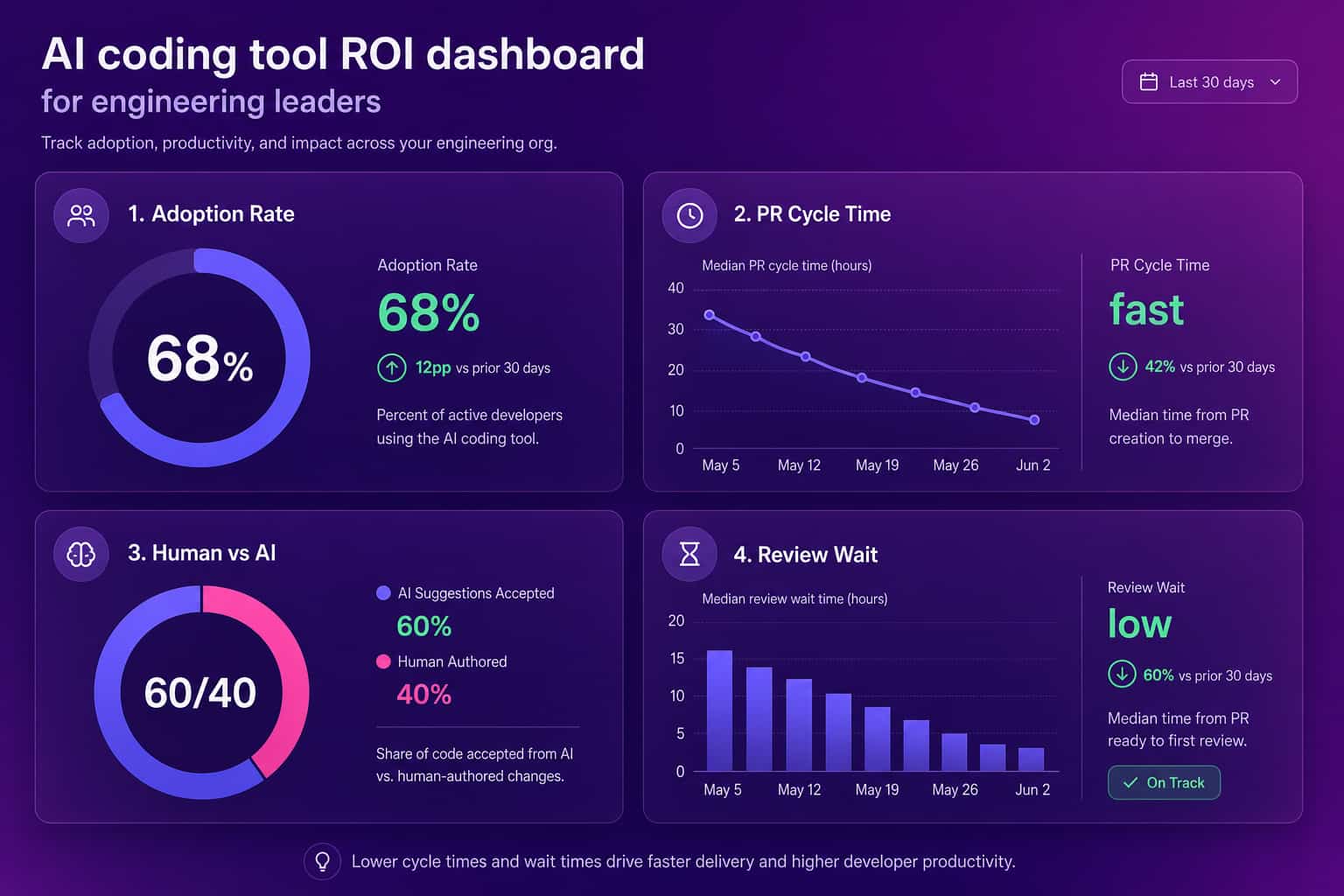
How to measure Copilot or Cursor ROI on your team
You measure Copilot or Cursor ROI by connecting tool usage to engineering output and watching the trend after rollout, not by surveying engineers. This is the part Abloomify was built for. It imports usage signals from Cursor, Claude Code, and GitHub Copilot, then correlates them with delivery metrics like PR cycle time, throughput, and review wait, and separates human from AI agent contribution across tasks, code, and reviews. The result is an adoption heatmap by team plus a clear answer to whether the spend translates into faster delivery. It does this PII-free, through APIs, with no screenshots, no keyloggers, and no reading of code content, so engineers do not experience it as surveillance. The signals worth watching are simple: real usage, not licenses; cycle time before and after; review load; and how much of the throughput gain is human versus agent.
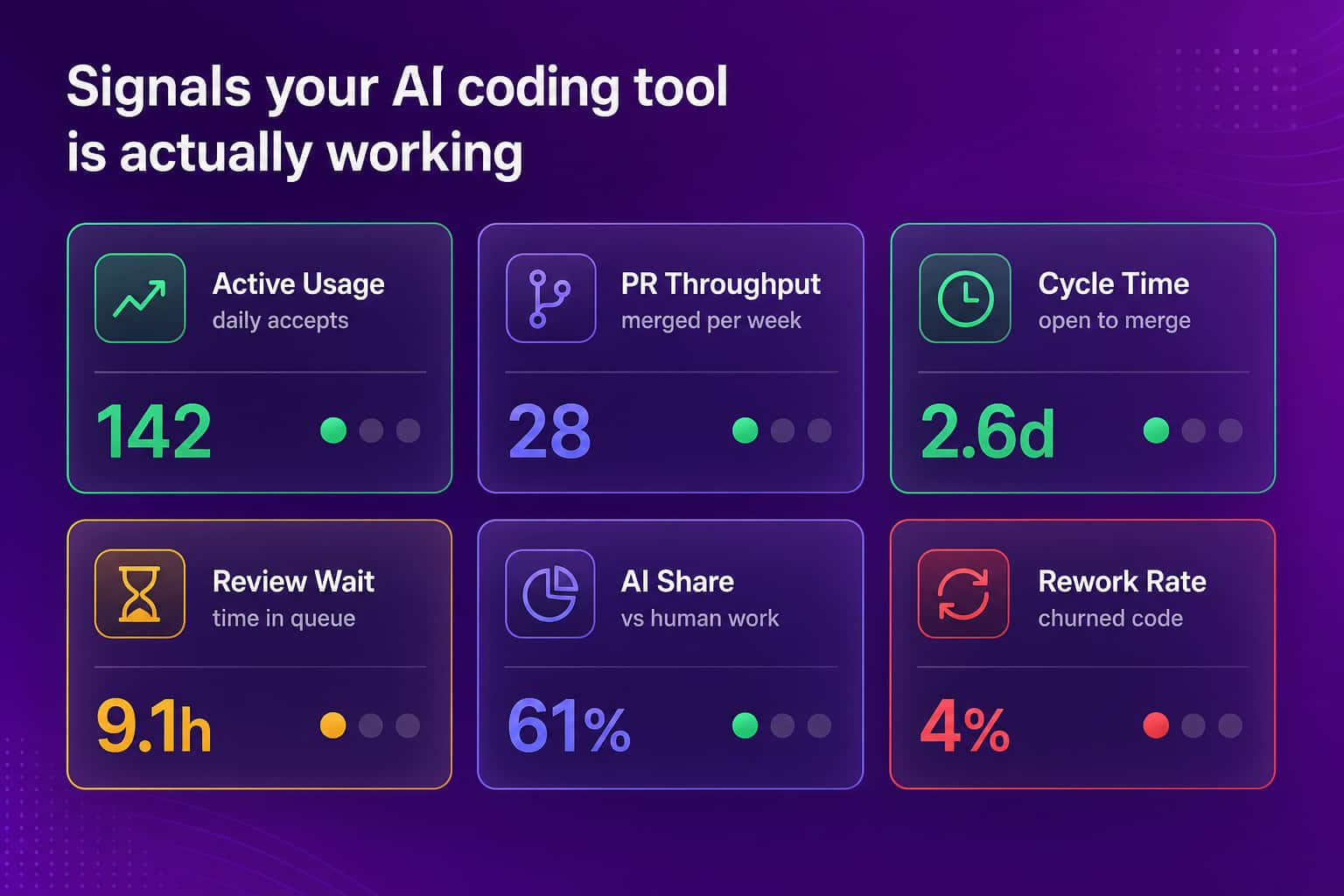
A few signals separate a tool that is working from one that is just installed:
- Active usage, not seats: daily accepted suggestions or agent runs per engineer, not how many licenses you bought.
- PR cycle time trend: the span from first commit to merge, compared against your pre-rollout baseline.
- Review wait time: whether faster authoring just moved the bottleneck downstream into review.
- Human vs AI agent share: how much of the throughput gain is human work versus agent-drafted, so you read the output honestly.
- Rework rate: churned or reverted code, so speed is not bought with quality.
For a deeper treatment of the underlying signals, see our guides to developer productivity metrics and measuring AI adoption impact across your stack.
How to choose between Copilot and Cursor
Choose between Copilot and Cursor by weighing four things in order: your current editor, the size and shape of your codebase, your governance requirements, and how you intend to measure output. If your team is happy in VS Code or JetBrains and leans heavily on GitHub workflows, Copilot is the low-friction win and the burden of proof is on Cursor to beat it on your numbers. If engineers spend their days in a large monorepo where multi-file changes are constant, Cursor's agent and context handling will likely show up in faster delivery, and the switching cost pays for itself. Regulated environments should weigh each tool's privacy and data-handling controls carefully, and pair the rollout with AI governance so shadow adoption does not outrun policy. Whatever you pick, instrument it from day one. The decision is only as good as the data you collect to validate it.
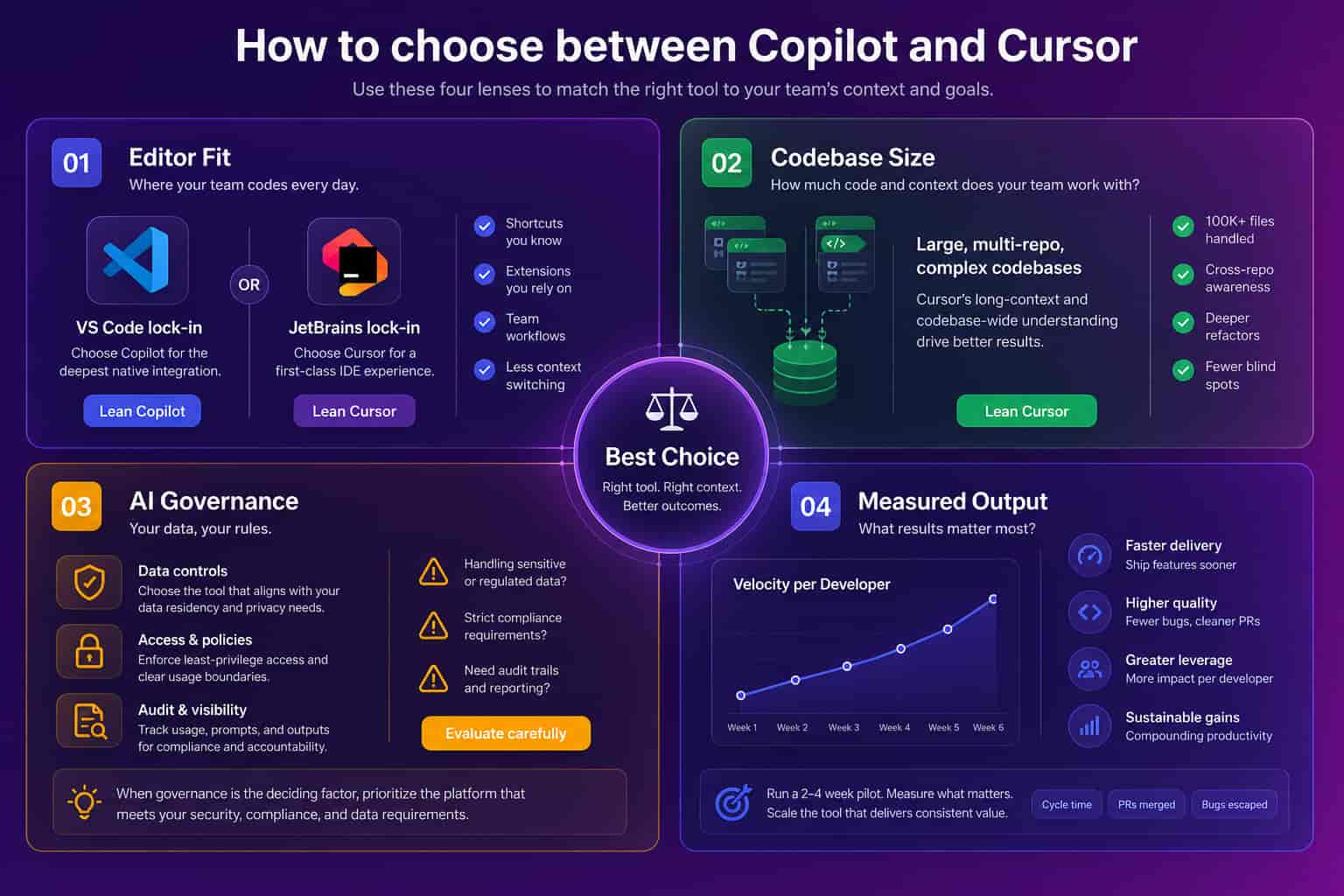
Run a real trial, not a survey. Pick one team, standardize on one tool for a sprint or two, and compare cycle time and throughput against the prior period using engineering productivity analytics. The tool that wins on your codebase is the one worth standardizing on. Opinions are cheap. Cycle time is not.
FAQ
Copilot vs Cursor: which is better in 2026?
Neither is better for everyone. GitHub Copilot is the safer default for teams in VS Code or JetBrains that want GitHub-native workflows and mature governance. Cursor wins for engineers who want an AI-native editor with strong multi-file agent edits and large-codebase context. The deciding factor is which one your delivery data rewards.
What is the real difference between Copilot and Cursor?
Copilot is an assistant added to your existing editor, strongest at inline completion, chat, and GitHub workflows. Cursor is a full editor built around an agent that edits across many files and reasons over a large codebase. Copilot meets you where you work; Cursor changes the editor to gain a more agentic workflow.
Is Cursor worth switching to from GitHub Copilot?
For many teams on large codebases, yes, because multi-file agent edits save real time. Our own team at Abloomify switched and saw a large velocity jump. But the honest answer is in your data: track PR cycle time and throughput before and after, since the right tool is the one your numbers reward.
How do you measure if Copilot or Cursor is making your team faster?
Tie usage to output. Abloomify imports usage signals from Cursor, Claude Code, and GitHub Copilot, then correlates them with PR cycle time, throughput, and review health, and separates human from AI agent contribution. That turns the comparison from opinion into a number you can defend.
Can you use GitHub Copilot inside Cursor?
Not as the native engine. Cursor ships its own AI features and model routing, so most teams use Cursor's built-in assistant. You can run Copilot in VS Code or JetBrains and Cursor separately, but standardizing on one per team makes adoption and ROI far easier to measure.

Reza Vatani
Co-Founder & CAIO
AI-driven entrepreneur with a strong background in robotics and advanced analytics. PhD from Old Dominion University and former Product Development leader at Nasdaq Verafin.