SaaS Sprawl: What It Is and How to Get It Under Control
October 6, 2026
Amir Tavafi
10 min read

SaaS sprawl is what you get when a company keeps buying software and never retires any of it. The usual shape is a pile of seats nobody opens, a few tools doing one job, and a renewal calendar that lives in somebody's head.
Key Takeaways
Q: What is SaaS sprawl?
A: SaaS sprawl is the accumulation of software subscriptions that overlap, sit unused, or were bought outside any central review. It is a visibility problem first and a cost problem second. Abloomify's SaaS license optimization finds unused licenses, tool overlap, and upcoming renewals in one view.
Q: Why does SaaS sprawl happen?
A: Because buying software is easy and cancelling it is not. Teams swipe a card, the tool works, the owner changes jobs, and the auto-renewal keeps running. Nobody did anything wrong, and nobody was asked to look.
Q: How much does it cost?
A: It depends on your stack, so use a real number, not a benchmark. Abloomify publishes a typical range of $50K to $100K a year in recoverable license savings for tech companies. The free SaaS waste calculator gives you a first estimate in a few minutes.
Q: Do I need to monitor employees to fix it?
A: No. A license audit needs seat-level usage, meaning whether a seat was active in a window. It does not need screenshots, message content, or keystrokes. Privacy-first by architecture means the audit works from PII-free signals.
Q: Where should I start?
A: Pull the list of renewals in the next 90 days and check usage on each one. That single view gives you the next decision you can still change, which is more useful than a perfect inventory of everything you own.
What is SaaS sprawl, exactly?
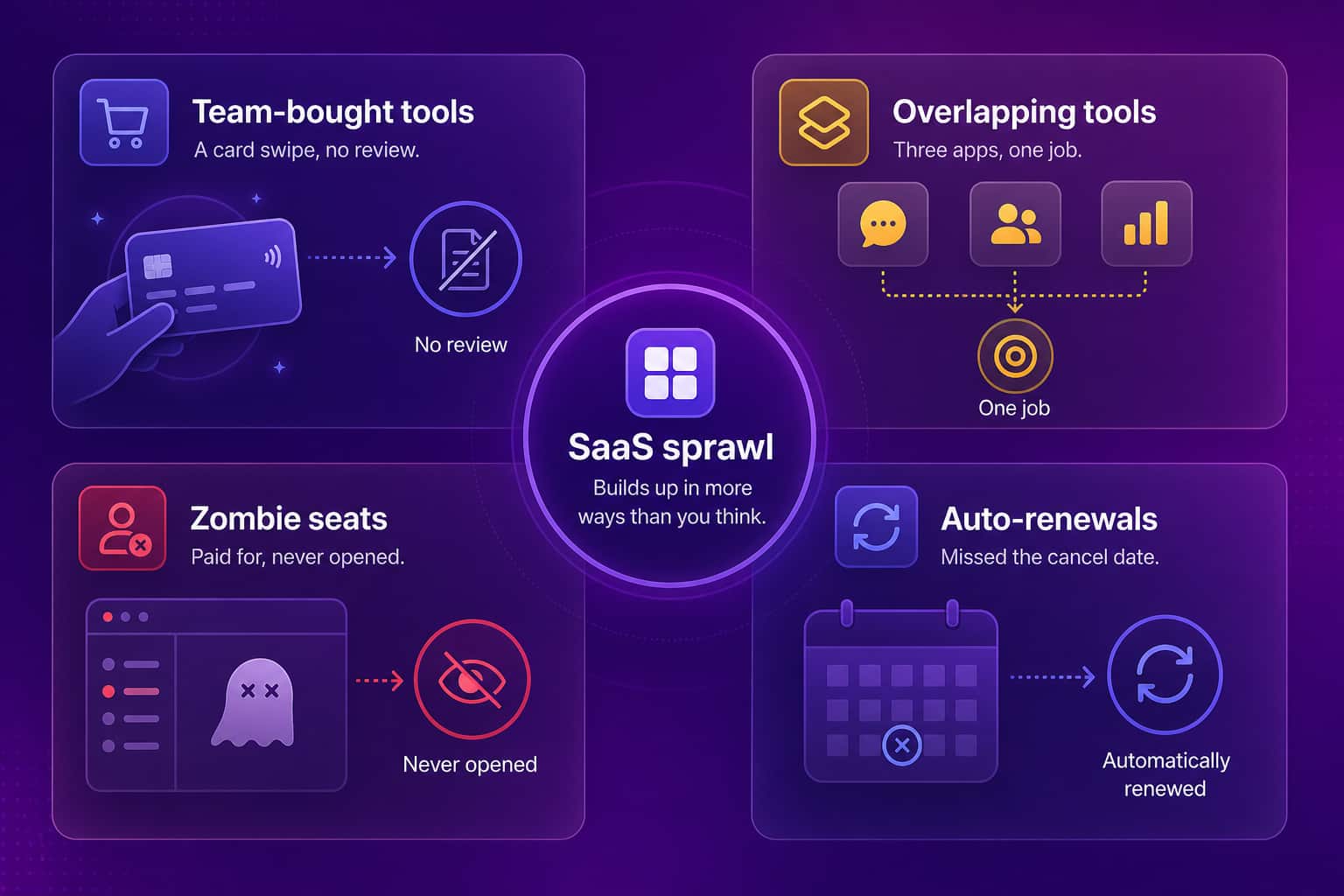
SaaS sprawl is the point where the number of software subscriptions in a company grows faster than anyone's ability to track who owns them, who uses them, and when they renew. It shows up in three forms: tools that overlap in function (two chat apps, three project boards), seats that are paid for but inactive, and apps that were bought outside procurement and IT. Sprawl is the total of all three. It is different from a one-time bad purchase because it compounds: each new tool adds an owner, a renewal date, a set of integrations, and a security surface, and the oversight capacity of finance and IT does not grow at the same pace. A company can be sprawling at 30 apps or at 300. The count matters less than whether anyone can answer, for any given tool, "who owns this and did anyone use it last month?"
I used to think sprawl came from sloppy buying. Honestly I don't anymore. I tell other founders to try the new tools, and moving Abloomify's engineering from Copilot to Cursor was one of the best calls we made. A procurement form first would have slowed that down. So fewer tools is the wrong target. What you want is to know which ones are earning their seat.
How does SaaS sprawl start?
SaaS sprawl starts with four ordinary habits, and none of them look like mistakes when they happen. A team lead buys a tool on a company card because the free tier ran out. Two departments solve the same problem with different products because they never talked. A contractor gets a seat for a project and the seat outlives the project. And an annual plan auto-renews because the one person who knew the cancel date left the company. Each decision is reasonable on the day. The sum of them is a portfolio that nobody designed. Sprawl also accelerates when a company grows, since every new team brings its own habits and its own stack, and when a new category appears, as AI tools have done over the last two years, because teams adopt several in parallel before anyone picks a standard.
| Source of sprawl | What it looks like | What exposes it |
|---|---|---|
| Team-bought tools | Card or expense line with no procurement record | Finance export vs SSO app list |
| Overlapping tools | Two or three apps in the same category | Category mapping across the portfolio |
| Zombie seats | Paid seats with no activity in 60 to 90 days | Per-seat usage data |
| Auto-renewals | Contracts that renew with no review | Renewal calendar with owners |
What does SaaS sprawl actually cost you?
SaaS sprawl costs money in three places: the licenses you pay for and don't use, the duplicate tools you pay for twice, and the renewals you couldn't renegotiate because nobody looked in time. The visible line is the invoice. The less visible costs are security, since every forgotten app with live logins is an access path nobody reviews, and attention, since people lose time deciding which tool is the real one for a given job. For sizing, Abloomify publishes a typical range of $50K to $100K a year in recoverable license savings on its SaaS license optimization page, and the longer breakdown lives in our piece on how much SaaS waste a company typically carries. Your number will differ. The point is to measure it once so it stops being a guess.
SaaS sprawl vs shadow IT: what is the difference?
Shadow IT is software that people adopt without approval from IT or security. SaaS sprawl is the broader condition of having more subscriptions than you can govern, and it includes shadow IT as one ingredient. The distinction matters because the fixes differ. Shadow IT is mostly a policy and detection problem: find the unapproved tool, decide to approve or retire it. Sprawl is mostly a portfolio problem: even approved tools can overlap, go unused, and renew on autopilot. If you only chase shadow IT, you will clean up the unapproved apps and still pay for three approved ones that do the same job. AI tools sit in the middle of both, which is why we wrote separately about shadow AI risk and governance.
How do you audit SaaS sprawl without monitoring people?
You audit SaaS sprawl by comparing three lists: what you pay for, what you have approved, and what is actually used. None of it requires watching anyone. Seat-level activity (was this seat active in the last 60 to 90 days) is enough to flag a zombie. Category mapping is enough to flag overlap. A renewal calendar with a named owner per contract is enough to catch auto-renewals before they fire. Abloomify takes the same approach: PII-free usage signals pulled across 100+ integrations, with no screenshots, keyloggers, or content capture. Privacy-first is not a side note here. If a license audit needs you to read someone's messages, you are running the wrong audit.
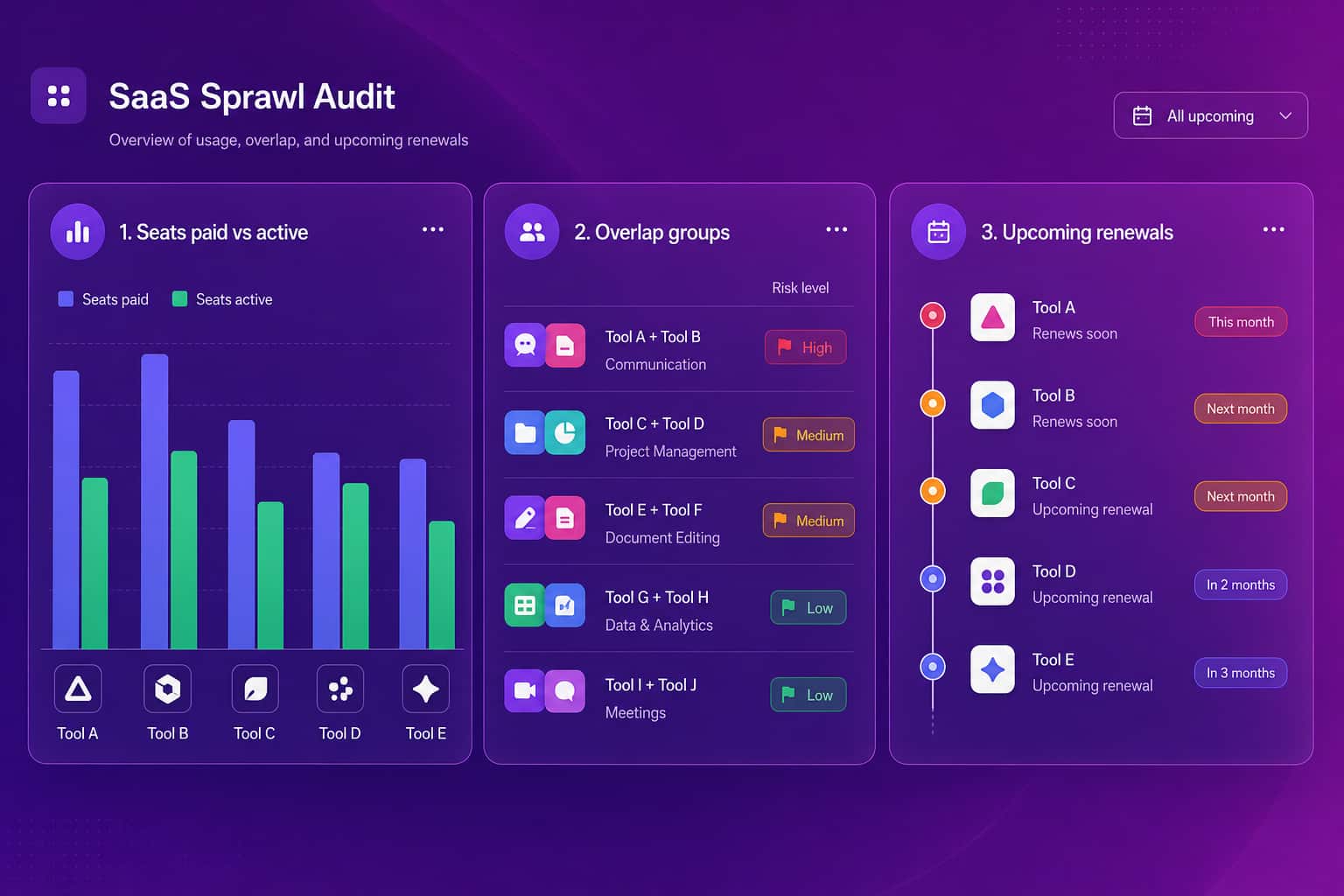
A workable first pass looks like this:
- Export every software line from finance and the company card for the last 12 months.
- Export the app list from your identity provider (SSO).
- Subtract one from the other. The tools in finance but not in SSO are your first unmanaged list.
- For each tool, get the number of paid seats and the number active in the last 90 days.
- Group tools by category and flag any category with more than one paid tool.
- List every renewal in the next 90 days and put a human name next to each one.
You will not finish this in an afternoon for a 300-person company. Do step 6 first anyway, because it is the only step with a deadline.
How do you keep SaaS sprawl from coming back?
Keeping sprawl down means making the review a standing habit rather than a cleanup project. Assign one named owner per tool, review each tool 60 to 90 days before renewal while cancelling or downsizing is still possible, and re-check overlap whenever a team asks for something new in a category you already pay for. The practical difficulty is that a manual audit decays. The spreadsheet is right on the day you finish it and stale a month later. That is the reason we built the license view into Abloomify as a continuous report: Bloomy, our AI analyst, can run on a schedule you choose and brief you on unused licenses, overlap, and what renews next, so the answer arrives on a cadence instead of waiting for someone to volunteer for the job. For executives who want it rolled into one place, AI Chief of Staff covers SaaS cost optimization alongside revenue per employee and OKRs.
Where should you start this week?
Start with the renewals, because they are the only part of sprawl with a clock. Pull every contract renewing in the next 90 days, check seat usage on each, and decide before the renewal date whether to keep, downsize, or cancel. Then run the SaaS waste calculator to size the rest of the portfolio, and use the longer playbook on finding unused licenses in 90 days if you want the step-by-step version. If you are an IT or operations leader who wants this running continuously instead of as a project, the IT leaders page shows how Abloomify handles license usage and shadow IT detection without employee surveillance. Or book a demo and we will look at your renewal calendar with you.
FAQ
What is SaaS sprawl in simple terms?
SaaS sprawl is what happens when a company ends up with more software subscriptions than anyone can account for. Some tools overlap, some have seats nobody uses, and some were bought by a team without IT or finance knowing. The cost shows up as wasted spend, security blind spots, and renewals that nobody reviews.
Is SaaS sprawl the same as shadow IT?
They overlap but they are different. Shadow IT is software bought or adopted without approval. SaaS sprawl is the total mess, including approved tools that overlap, approved tools with unused seats, and shadow IT. You can have sprawl with zero shadow IT if every duplicate tool was signed off by a different department.
How do you find out how many SaaS apps your company really uses?
Start with three sources: the finance export (card and invoice lines), your SSO or identity provider app list, and expense reports. None is complete alone. The gap between what finance pays for and what SSO knows about is your first estimate of unmanaged tools. Then add usage data per tool to see which seats are real.
Can you audit SaaS sprawl without monitoring employees?
Yes. A license audit needs to know whether a seat was used in the last 30 to 90 days, not what anyone typed or looked at. Abloomify works from PII-free usage signals across 100+ integrations, so the audit shows active versus inactive seats and tool overlap without screenshots, keystroke logging, or content capture.
How often should we review SaaS subscriptions?
Review each tool before its renewal date, ideally 60 to 90 days out, because that is when cancelling or downsizing is still possible. Run a full portfolio sweep at least once a year. Companies that only review at the annual budget cycle miss most of the monthly and auto-renewing contracts.

Amir Tavafi
Co-Founder & CEO
Product leader and innovator with over 15 years of experience in the tech sector, grounded in AI and robotics. Previously led product development in fraud detection and AI solutions at Nasdaq Verafin.