SaaS Waste: How Much Is Your Company Losing?
April 7, 2026
Walter Write
3 min read

How much SaaS waste is typical?
Research shows 24% of SaaS licenses in the average tech company are completely unused. Another 14% are used less than once a month. For a company spending $300K/year on SaaS, that is $72K in pure waste and another $42K in underutilized spend.
Where SaaS waste hides
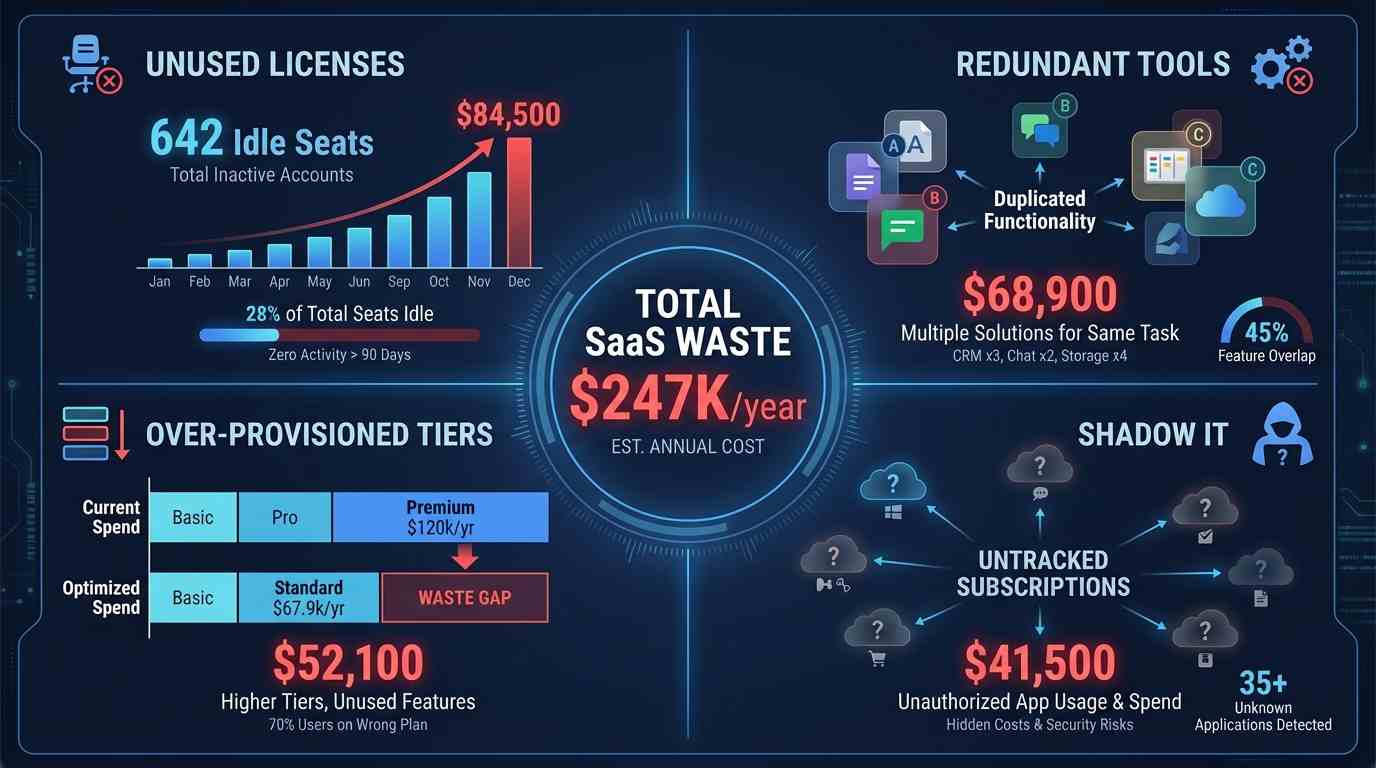
Unused licenses after departures
When employees leave, their SaaS licenses often remain active. IT deprovisioning misses 15-20% of tools because there is no central registry of everything an employee was using.
Redundant tools across departments
Engineering uses Jira, Product uses Asana, and Marketing uses ClickUp. Three project management tools doing the same thing. This multiplies across categories: design, communication, documentation, analytics.
Over-provisioned tiers
Teams sign up for Enterprise tiers during pilots and never downgrade. A $25/user/month tool at the $10 tier would serve the same purpose for 80% of users.
Shadow IT
Employees adopt free-tier tools that eventually convert to paid plans. Nobody tracks them centrally. The average company has 7+ unapproved SaaS tools with paid subscriptions.
How to calculate your SaaS waste
Use this formula:
- Step 1: Inventory all SaaS tools (check identity provider, expense reports, credit card statements).
- Step 2: Check usage data per tool (login frequency, feature usage, active vs idle users).
- Step 3: Calculate cost per active user vs cost per license. The gap is your waste.
- Step 4: Identify overlap (multiple tools in the same category) and model consolidation savings.
Or use our free SaaS waste calculator to get an instant estimate.
How Abloomify finds SaaS waste automatically
Abloomify connects to your identity provider and SaaS tools via API to continuously track license utilization:
- Automatic detection of unused licenses (30+ days inactive)
- Tool overlap analysis across departments
- Tier optimization recommendations
- Shadow IT detection from SSO and expense data
- Renewal calendar with cut/keep/downgrade recommendations
- Part of a full stack: SaaS intelligence sits alongside workforce analytics, native performance programs (Goals & OKRs, reviews, feedback, surveys), Bloomy (the AI agent for instant Q&A on spend and utilization), and AI governance—so cost decisions are not divorced from how teams actually work
FAQ
How quickly can we see SaaS waste?
Connect your identity provider in day one. Abloomify begins showing unused licenses and overlap within 48 hours.
Will this disrupt teams?
No. Abloomify identifies truly unused licenses (zero activity). Reclaiming those does not affect anyone because nobody was using them.
What about tools not connected to SSO?
Abloomify also analyzes expense data and browser extension signals to find SaaS tools outside your SSO footprint. This is where shadow IT hides.
Ask Bloomy about SaaS waste—instantly
Bloomy surfaces license overlap, unused seats, and renewal actions through natural-language questions on live data, together with always-updating dashboards.
See Bloomy in action
Capacity Planning

Do we have capacity to take on the Q3 roadmap?
How can I help?
What to read next

Walter Write
Staff Writer
Tech industry analyst and content strategist specializing in AI, productivity management, and workplace innovation. Passionate about helping organizations leverage technology for better team performance.