Workload Management: Balance Team Load Without Surveillance (2026)
June 29, 2026
Amir Tavafi
10 min read

Workload management is how operations and engineering leaders decide who is buried, who has room, and what to move, without watching anyone's screen. Abloomify pulls the signals from the 100+ tools a team already runs on, from GitHub and Jira to calendar and CRM, and turns them into a clear picture of where load actually sits. Privacy-first by architecture. No screenshots, no keyloggers. The point is better decisions, not surveillance.
Key Takeaways
Q: What is workload management in plain terms?
A: It is balancing work across a team so no one is drowning and no one is coasting. Good workload management reads real signals (review pileups, after-hours commits, meeting load) instead of gut feel. Abloomify builds this from aggregated, PII-free work data across 100+ tools.
Q: How is workload management different from capacity planning?
A: Capacity planning forecasts how much work a team can take over a quarter. Workload management is the week-to-week act of distributing that work fairly right now. You need both. Abloomify connects them so the plan and the reality stay in sync instead of drifting apart.
Q: What signals reveal that someone is overloaded?
A: Sustained after-hours work, pull requests stuck on one reviewer, calendars with zero deep-work blocks, and output falling despite long hours. Abloomify flags these patterns early, which is how it surfaces burnout risk 60+ days before someone resigns.
Q: Can you manage workload without monitoring employees?
A: Yes, and you should. There is no evidence monitoring improves performance, and 1 in 6 workers would quit over surveillance. Abloomify connects to work tools via API and reads PII-free signals, so you balance load without screenshots or keyloggers.
Q: What does getting workload management wrong cost?
A: Roughly $500K to $2M a year in capacity waste at a mid-sized company, paid out as turnover, missed dates, and idle headcount nobody redeployed. You only recover it once you can see where load truly sits.
What workload management actually means
Workload management is the ongoing practice of matching the work a team has to the capacity each person actually has, then rebalancing as both change. It is not a one-time spreadsheet or a tidy Asana board that goes stale by Tuesday. The hard part was never assigning tasks. The hard part is seeing the truth: who is quietly carrying three projects, who is stuck waiting on a blocked review, and who finished early and is now idle while a teammate works until midnight. Most teams manage workload from standup updates and manager intuition, which means the loudest person and the most visible work win attention. The quiet overload, the kind that ends in a resignation letter, stays invisible until it is expensive. Abloomify makes that distribution legible from the work itself.
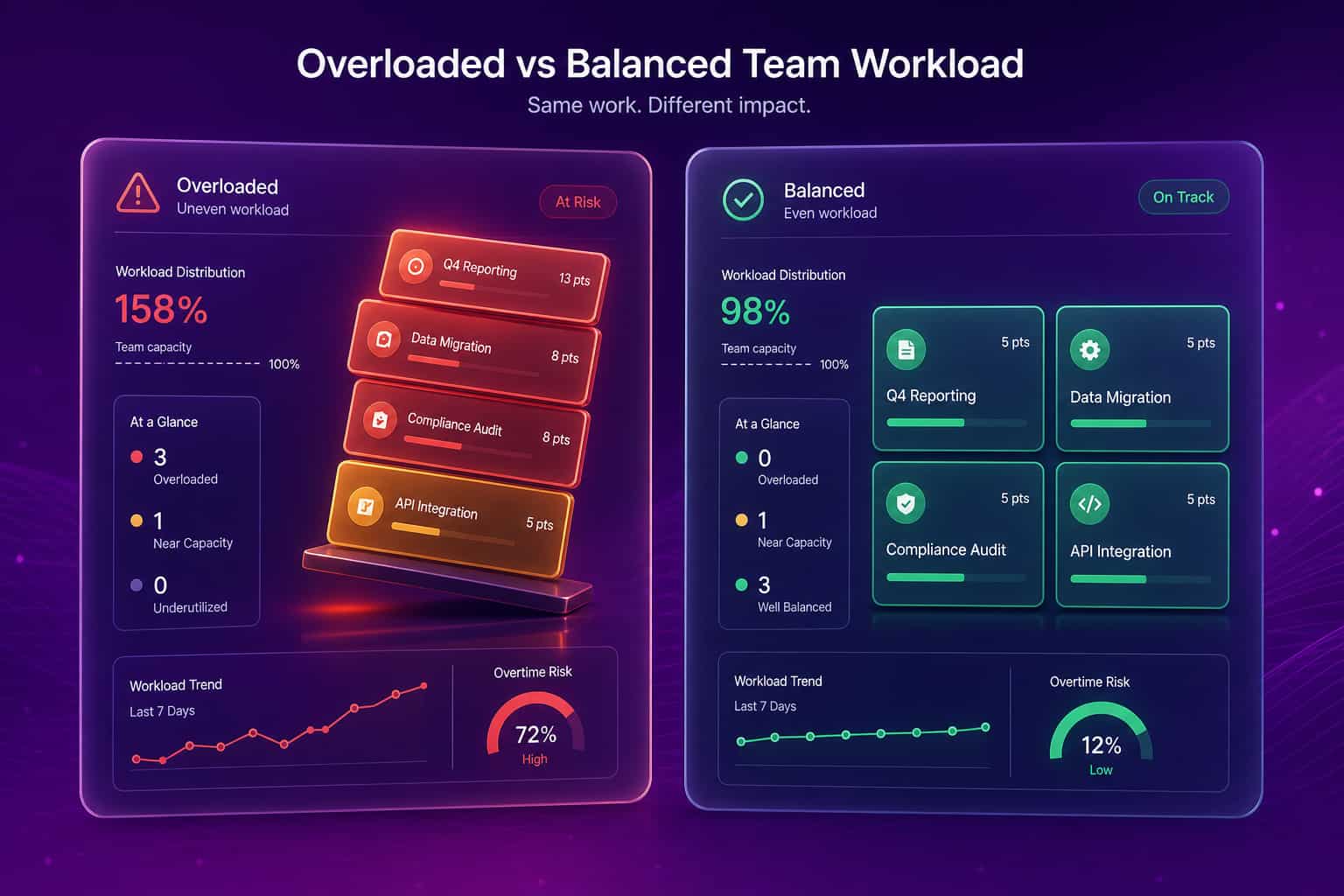
The distinction that matters for leaders is workload management versus capacity planning. Capacity planning is the forecast. Workload management is what you do when the forecast meets a real week with sick days, a production incident, and a feature that turned out twice as hard as estimated. Both depend on the same underlying truth about who has room, which is why guessing at one usually means guessing at the other.
Why most workload management fails
Most workload management fails because the inputs are wrong, not because managers are careless. Leaders are asked to balance a team using the two worst possible data sources: self-reported busyness and visible activity. Self-reported busyness rewards the people who are loudest about their plate and penalizes the quiet ones who absorb more without complaint. Visible activity rewards whoever is in the most meetings or sends the most messages, which has almost nothing to do with actual output. So the manager moves work toward the person who looks underwater and away from the person who looks busy, and both reads can be exactly backwards. This is the trap. You cannot balance what you cannot see, and a status meeting is not seeing. It is a curated summary, filtered through whatever each person wants you to believe about their week.
The generic advice does not help here. "Use a workload template" and "set clear priorities" assume you already know where the load is. The template is downstream of the data, and the data is the thing nobody has. A leader at a 400-person fintech we work with put it simply: she could feel that capacity was uneven across her distributed team, but she could not point to where, and her tools showed her tasks, not load.
The signals that reveal real workload
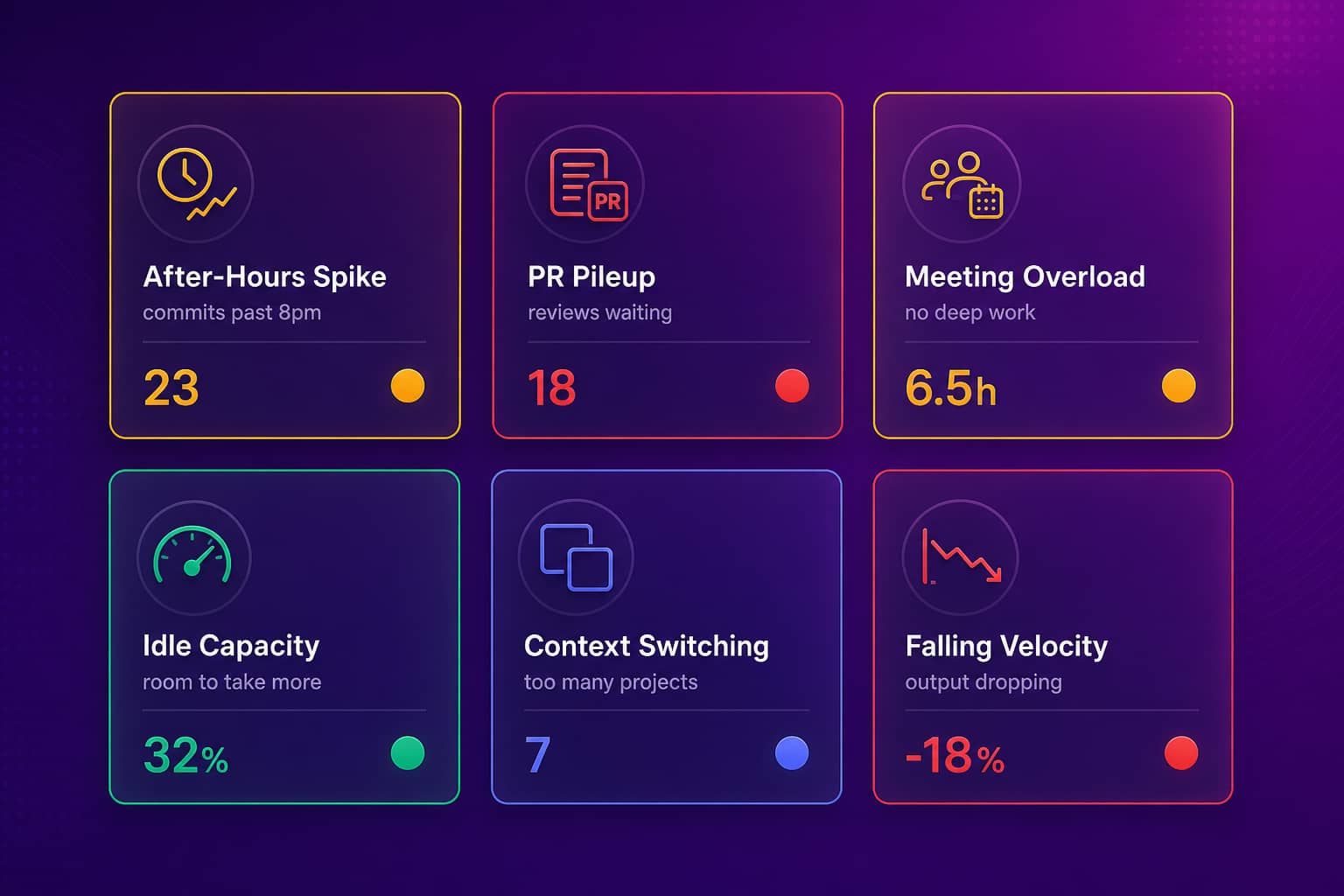
The signals that actually reveal workload live in the tools where work happens, not in a survey. A sustained spike in commits or messages after 8pm is an overload signal. Pull requests piling up on a single reviewer is a bottleneck signal. A calendar with back-to-back meetings and no deep-work blocks is a focus-starvation signal. Output falling while hours climb is the clearest burnout signal there is. Idle capacity, the engineer who shipped early and has room to take more, is the flip side, and it is just as invisible to a standup. Abloomify reads all of these from aggregated, PII-free signals across GitHub, Jira, Linear, Google Workspace, Microsoft 365, and 100+ other integrations. It knows work patterns by category and source without knowing what was typed or read.
A workload management method that works
A workload management method that works runs on a weekly loop, not a quarterly ritual, and it starts from signals rather than opinions. Here is the version we recommend to operations and engineering leaders, and it takes about 30 minutes a week once the data is connected:
- See the current distribution. Start the week with an actual map of load across the team, not a memory of last week's standup. Who is over capacity, who is under, who is blocked.
- Find the overload before it speaks up. Look for the sustained after-hours pattern and the falling-output-despite-long-hours pattern. These are the quiet ones. Move work off them first.
- Clear the bottlenecks. A reviewer with ten open PRs is a workload problem disguised as a process problem. Redistribute the reviews, do not just ask them to hurry.
- Redeploy idle capacity. Someone always has room. Workload management is as much about using slack as relieving overload.
- Check meeting load, not just task load. Eighteen hours of meetings a week is a full-time job on top of the real one. Protect focus time as deliberately as you assign tasks.
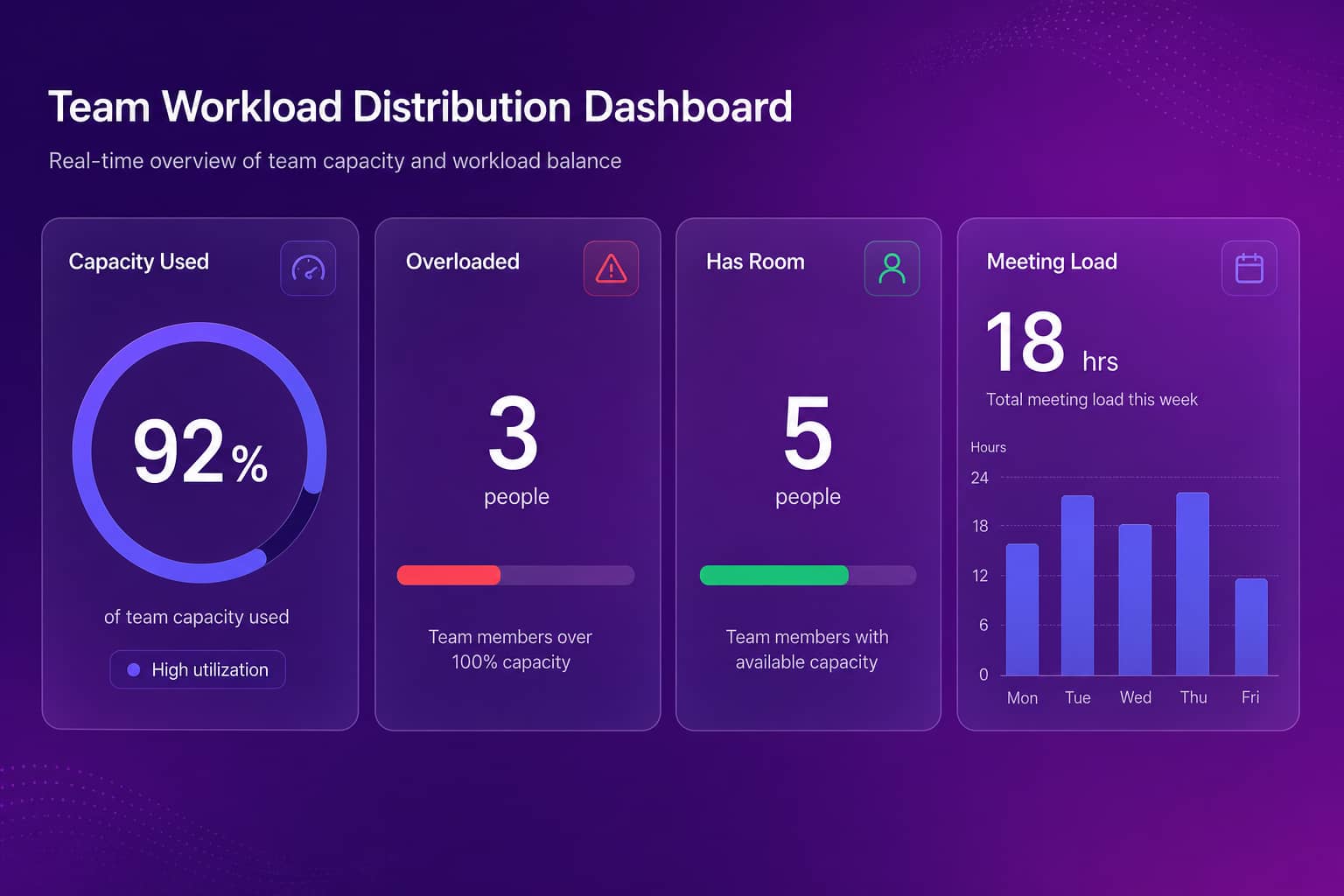
The 400-person fintech that started with this loop did it for one reason: capacity utilization across a distributed team was a black box, and they wanted to balance load without installing anything invasive on employee laptops. For the engineering-specific version of step three, our guide to right-sizing sprint capacity without overload goes deeper on review bottlenecks and sprint load.
Workload management without surveillance
You do not need surveillance to manage workload, and the surveillance approach actively works against you. Monitoring tools like ActivTrak, Insightful, and Time Doctor install endpoint agents that can take screenshots, log keystrokes, or record screens, and they generate exactly the resistance you would expect. There is no evidence that monitoring improves performance, per a Personnel Psychology meta-analysis, and 1 in 6 workers say they would quit over it. So you get worse trust and no better data. Abloomify took the opposite path by design: two data layers, 100+ API integrations that read PII-free signals only, plus optional privacy-first device agents that collect aggregated usage by application category, never screenshots or content. The result is the workload visibility leaders want without the trust damage. That is also why the platform is SOC 2 Type 2 certified and built to be GDPR and EU AI Act compliant. If your buyer is the COO, our view for operations leaders maps these signals to the questions they actually ask, and the burnout detection page covers the overload-to-attrition link in detail.
How to evaluate a workload management approach
Evaluate any workload management approach by one test: does it show you the load you cannot see today, or does it just digitize the load you already knew about? A board of tasks tells you what was assigned. It does not tell you that your best engineer has been committing past midnight for three weeks, or that a quiet teammate is blocked and burning out while looking productive on paper. The approach worth adopting reads the real work, ties task assignment to actual capacity, and warns you early. The approach to skip is any tool whose answer to overload is more screenshots. If the demo could have come from a monitoring vendor, keep looking. Workload is a leadership signal, and it deserves better than a keylogger.
Generic templates manage tasks. Real workload management manages people's capacity. Pick the one that respects both.
FAQ
What is workload management?
Workload management is the practice of distributing work across a team so no one is buried and no one is idle. Done well, it reads real signals like PR pileups, after-hours commits, and meeting load instead of relying on who shouts loudest in standup. Abloomify does this from aggregated work data, with no screenshots or keyloggers.
How do you manage team workload without micromanaging?
Watch outcomes and capacity, not minutes. Look at where reviews pile up, who is committing late at night for weeks, and who has room to take more. Abloomify pulls these signals from GitHub, Jira, calendar, and 100+ other tools, so you balance load from evidence rather than checking in on people all day.
What signals show someone is overloaded?
A sustained spike in after-hours work, pull requests waiting on one reviewer, calendars with no deep-work blocks, and falling output despite long hours. Abloomify flags these patterns early, which is how it surfaces burnout risk 60+ days before someone quits, all from PII-free work data.
Can you do workload management without monitoring software?
Yes. Monitoring tools take screenshots and log activity, which damages trust without proving much, and there is no evidence monitoring improves performance. Abloomify connects to work tools via API and uses aggregated, PII-free signals, so leaders see real workload without surveilling anyone.
What does poor workload management cost a company?
A lot, and most of it is invisible. Imbalanced capacity and quiet overload show up as turnover, missed deadlines, and idle headcount nobody reassigned. Abloomify estimates $500K to $2M a year in capacity waste at a mid-sized company, money you only recover once you can see where load actually sits.

Amir Tavafi
Co-Founder & CEO
Product leader and innovator with over 15 years of experience in the tech sector, grounded in AI and robotics. Previously led product development in fraud detection and AI solutions at Nasdaq Verafin.