Productivity Tools Chrome Extensions: 9 That Actually Move Work (2026)
May 18, 2026
Amir Tavafi
14 min read

I run a four-person team. We ship product faster than 50-person teams I used to lead. A small piece of that is the Chrome extension stack we pay attention to and the bigger one we cut. The productivity tools chrome extensions list below is what is actually pinned to my toolbar in May 2026, picked for outcomes a COO or VP Engineering would defend on a budget call, not for novelty.
Key Takeaways
Q: Which productivity chrome extensions earn a slot on a tech team's toolbar in 2026?
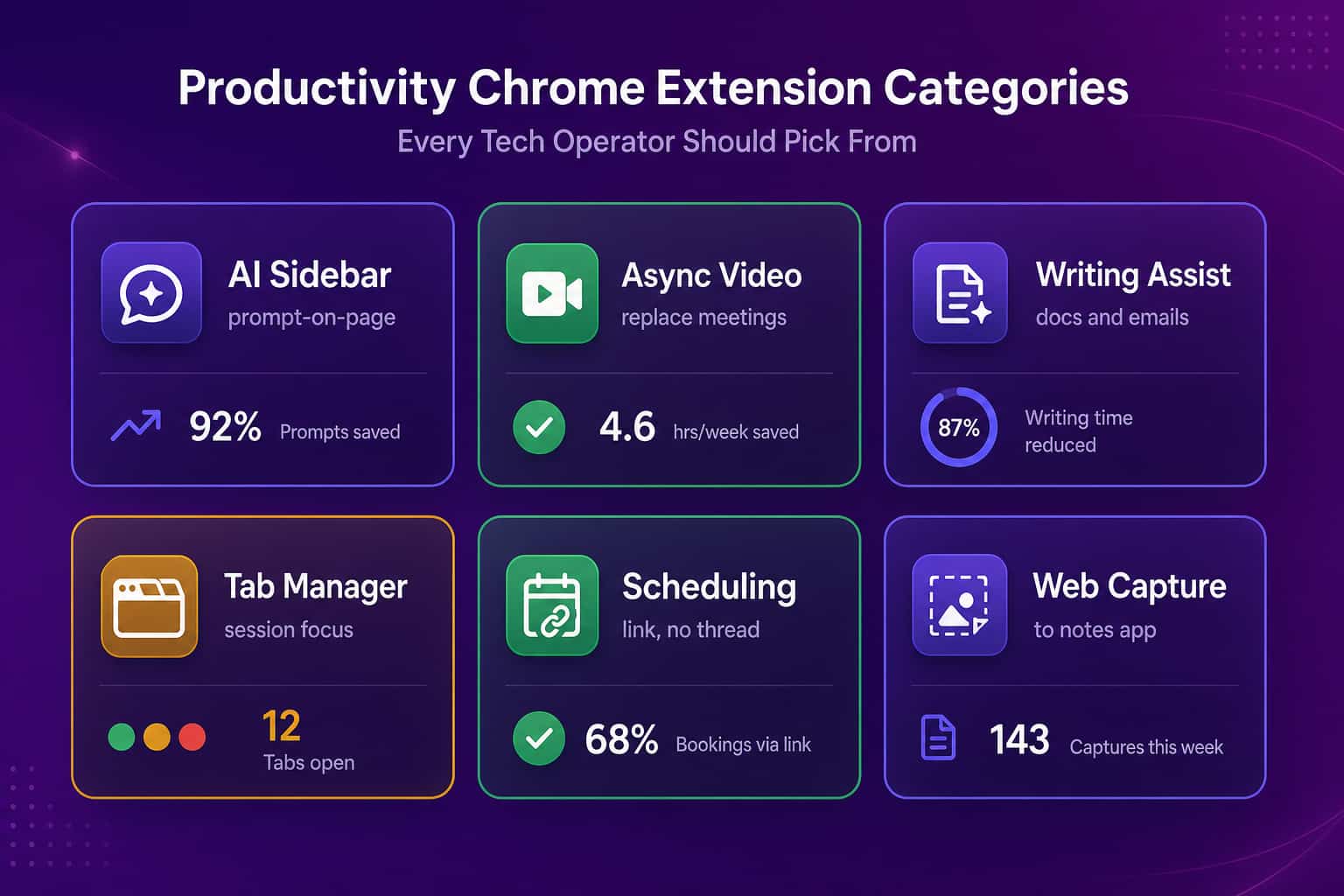
A: AI sidebar (ChatGPT for Google or Claude), async video (Loom), writing assist (Grammarly), capture to notes (Notion Web Clipper), tab control (Toby), scheduling link (SavvyCal), keyboard navigation (Vimium), ad and tracker block (uBlock Origin), and one automation tool (Bardeen). Nine, each tied to a specific work outcome.
Q: Why not the 30-extension lists everyone else publishes?
A: Because Chrome is the only app most knowledge workers run all day, and every extension is a memory tax, a security surface, and a permission grant. Hubstaff and ActivTrak both publish 30-plus extension roundups. None of those teams ships product. A tight stack of nine beats a sprawling stack of thirty.
Q: What is the hidden cost of extension sprawl across a team?
A: Extension sprawl is shadow IT. We have seen tech companies waste $50K to $100K a year on overlapping SaaS licenses that started as free Chrome extensions and grew teeth at renewal. Abloomify surfaces tool overlap and unused seats so finance can reclaim that budget.
Q: How should I think about AI chrome extensions specifically?
A: AI extensions carry the biggest payoff and the biggest risk on this list. They read whatever page is open, including PRs, customer tickets, salary data, internal wikis. Pick the enterprise variant, scope permissions per site, and prefer a sandboxed AI gateway over a free public extension on a corporate laptop.
The 9 picks (in the order I use them)
Each pick names the specific work it replaces. If an extension cannot pass that test, I cut it. This is not a feature inventory. It is what is on my toolbar right now and what we deploy to the team.
1. ChatGPT for Google (or Claude Sidebar): the AI co-pilot for any page
The first extension I would install on a fresh laptop. ChatGPT for Google opens an AI panel beside any search results page, any document, any Jira ticket. Claude Sidebar does the same thing with the Claude family of models. The workflow that earns the slot: open a long PR description, hit the sidebar, ask "what is the blast radius if this ships unreviewed." Same on a support ticket, a competitor blog post, a board doc. It is the closest thing to a research analyst sitting at your shoulder. The catch is shadow AI risk. Free public AI sidebars send page content to a third-party model and most don't have an enterprise tenant. If you are an IT or engineering leader, route AI traffic through an AI governance layer and pin the enterprise versions only. Otherwise you are leaking internal docs into a public training corpus, on company hardware, with zero audit trail.
2. Loom replaces 60% of internal video calls with 5-minute recordings
Loom is the single extension that gives back the most calendar time on a remote or hybrid team. Record a tab, your camera, or both, get a shareable link, drop it in Slack or Linear, move on. We do this for engineering walkthroughs, design reviews, status updates, customer feedback playback. The math is simple: a 5-minute Loom watched by 4 people on their own time costs roughly 25 minutes of total team time. The 30-minute Zoom call to deliver the same content costs 150 minutes and books prime calendar real estate. Two warnings. First, internal-only Loom links can still leak, so set the workspace privacy to require sign-in. Second, async video is only async if your team agrees not to schedule a meeting to discuss the Loom. We had to write that down.
3. Grammarly, the writing assist most teams underuse
Grammarly is the safest, oldest pick on this list. Most tech teams already have it and most use it at 20% of capacity. The modes worth turning on are not the comma fixes. They are: tone detection on customer emails, conciseness pass on docs that are too long, and the rewrite suggestion on Slack messages that read more aggressive than you intended. I run it as the last pass before sending anything to a customer or investor. One nuance: if you write technical content, Grammarly will fight you on every product-specific term. Add them to the personal dictionary once. The premium tier is worth it for any role that writes externally; the free tier covers ICs.
4. Notion Web Clipper: close the tab, save the page
Every founder I know has a tab graveyard. Forty tabs open across three windows, each saved "for later," none ever revisited. Notion Web Clipper kills that loop. Right-click any page, save to a Notion database, tag it, close the tab. The clipper extracts the readable content (not the cookie banner) and stamps the source URL. Where it earns its slot: competitive intel ("save every ActivTrak product update to a Notion table"), customer research, deal context, blog ideas. If you use Obsidian, Capacities, or Mem instead of Notion, every one of them ships a Chrome clipper. The pattern is what matters. Pick one notes app for the company and one clipper. Two clippers means two source-of-truth races.
5. Toby handles tab management without the dopamine new-tab page
Toby is a session-based tab manager. Group your open tabs into named workspaces ("Q2 Planning," "Acme deal," "PR review"), close them when you context-switch, restore the whole group when you return. The reason it beats the typical new-tab-page-with-bookmarks pattern is that it removes the visual cost of seeing 40 unrelated tabs while you are trying to focus on one task. Some days it feels like we are just putting out small fires across 12 contexts. Toby lets you close 11 of them without losing the work. I considered Workona and OneTab here. Both are credible alternatives. Pick whichever lets you save a session in under 3 seconds. If it takes longer, you will stop using it.
6. SavvyCal puts a scheduling link in every thread, no calendar Tetris
Scheduling-link extensions are the most boring, highest-ROI category on this list. SavvyCal (or Cal.com or Calendly) drops a calendar link into any compose window. The link respects your meeting policies, your buffers, and your team availability. The 10 minutes per booking that you save versus an email thread is the floor. The real win is upstream. When booking is a one-click action, your team stops scheduling discovery calls they should not run, because there is no longer a sunk cost in setting them up. We use SavvyCal because it lets the recipient overlay their calendar and pick a slot that works for them too. The point of the extension is to make calendar-as-a-source-of-truth real.
7. Vimium: keyboard navigation for anyone who lives in the browser
Vimium maps Vim-style keyboard shortcuts onto Chrome. Press
f and every clickable link on the page gets a two-letter tag; press the tag, you click the link. J and K scroll. gg and G jump to top and bottom. o opens a fuzzy search across history and bookmarks. The first day is awful. By day three, taking your hand off the keyboard to grab the trackpad feels physically wrong. This pick is opinionated. Roughly half the engineers who try Vimium become evangelists and the other half delete it. If you are in the second half, the consolation is that almost any keyboard launcher (Alfred, Raycast) gives you 70% of the benefit at the OS level. Pick one. Trackpad-only is a productivity tax.8. uBlock Origin, the focus extension nobody calls a focus extension
uBlock Origin blocks ads and trackers. The productivity claim hides inside the security claim. Half the Chrome memory budget on a typical workday is spent rendering tracking pixels, ad networks, and autoplay video. uBlock kills the lot, which makes pages load faster, which keeps your attention on the actual content. The privacy benefit is real and adjacent to how we think about privacy-first workforce intelligence at Abloomify. Most "productivity" comes from removing friction, not adding apps. uBlock removes friction at the network layer. The only watch-out: a small minority of internal SaaS dashboards will break under uBlock's defaults. Whitelist those once and forget.
9. Bardeen, one automation extension picked carefully
Bardeen automates the "open tab, copy field, paste into another app" loop that quietly owns a leader's calendar. Scrape a LinkedIn profile into HubSpot. Pull a Notion page into a Slack DM. Move all Asana tasks tagged X into a Linear sprint. The reason it earns the last slot and not the first is the same reason every automation tool earns its slot late: it only saves time if you actually rebuild a workflow around it. Most teams install Bardeen, run it twice, forget about it. The teams that win pick one painful, repeated, multi-tool task and rebuild it as a Bardeen playbook. I would not run this and Zapier and Make. Pick one automation surface per team, build playbooks against it, and audit usage every quarter. Otherwise the automation stack becomes its own waste category.
How to audit your current stack in 20 minutes
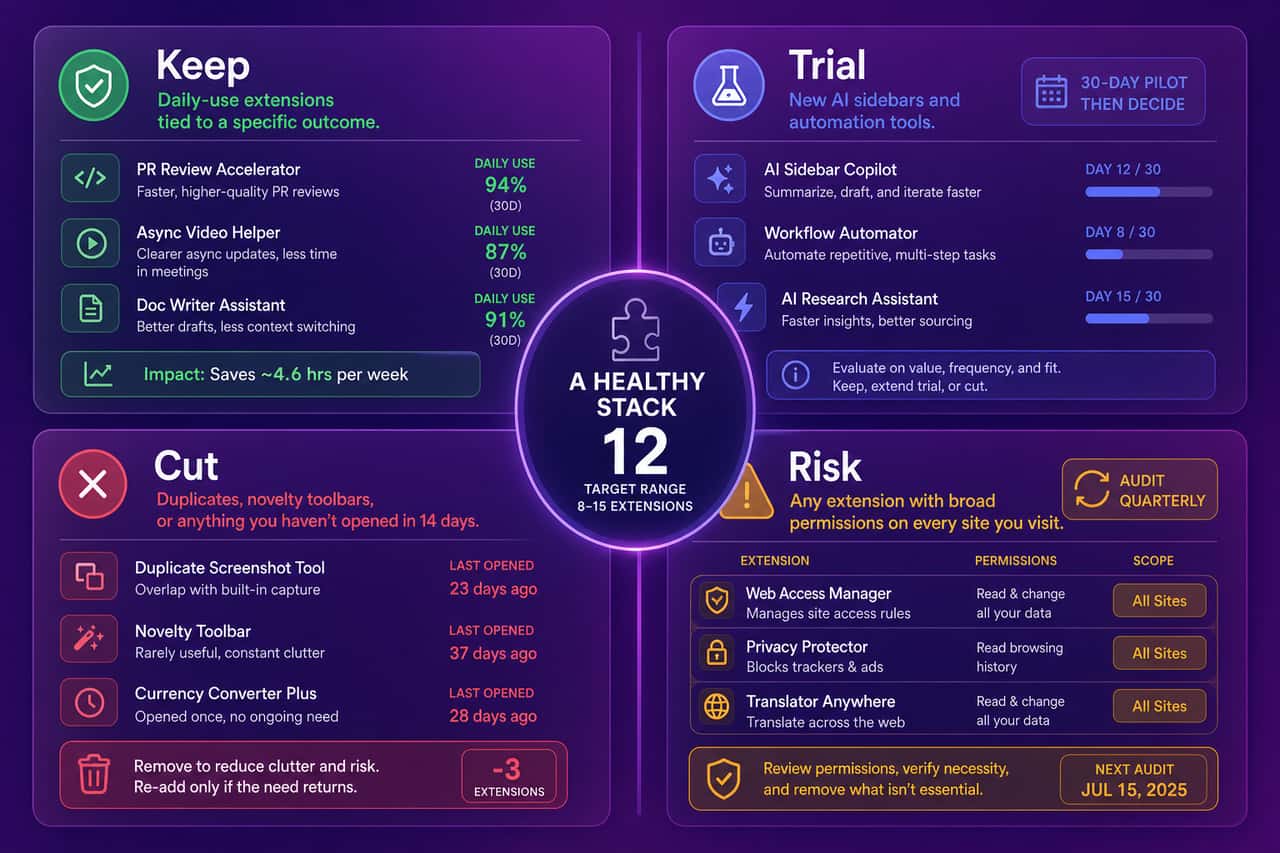
Spend 20 minutes today and you can cut your toolbar in half without losing a single outcome. The audit is simple and the result is usually a meaningful reduction in browser memory, security surface, and shadow IT spend.
- List every extension installed. Chrome menu, More Tools, Extensions. Screenshot it. You will be surprised.
- For each one, name the work outcome it serves. If you cannot name one in five seconds, it is a cut candidate.
- Check the permissions. Anything with "Read and change all your data on all sites you visit" needs to earn that scope. Most do not.
- Disable everything you have not used in 14 days. Disable, not delete. If you miss it in a week, re-enable. You will not miss most of them.
- Count what's left. Aim for 8 to 12 extensions on the toolbar for the average tech IC, 12 to 15 for someone who lives in research and writing.
The hidden category: extension sprawl as shadow IT
The thing nobody tells you about productivity tools chrome extensions is that they grow teeth at renewal. A free Loom plan becomes a $20 per seat per month team plan once 15 people record from the office. A free Grammarly trial turns into a $30 per month per seat enterprise subscription. Notion, Bardeen, SavvyCal, and the AI sidebars all follow the same arc. By year two, the company is paying $40 to $60 per seat per month on tools that started as free Chrome extensions, often with overlap (two writing assistants, three notes apps, two AI sidebars). Procurement does not see it because each line item is small. Finance does not see it because half the seats are paid on personal cards and reimbursed. This is the exact pattern we built SaaS license optimization and shadow AI detection for. It is not glamorous. It is usually a six-figure year-one finding for a 200-person tech company.
The privacy-first lens on AI extensions specifically
AI Chrome extensions deserve their own paragraph because they break the rules every other extension on this list follows. They read whatever page is open, including the PR you are reviewing, the customer ticket you are reading, the salary spreadsheet you forgot was in another tab. Most free ones send that content to a third-party model with no enterprise tenant, no audit log, and no data residency promise. On a corporate laptop, that is shadow AI by definition. The fix is not to ban AI extensions. The fix is the same one I made for our own team: pick the enterprise variant of one or two AI extensions, scope their permissions to specific domains, and route everything else through a controlled AI gateway. We do this at Abloomify with our own secure AI assistant Bloomy, which gives the productivity win without the data leak. Big companies bring ceremony. Startups bring outcomes. Pick the productivity, kill the leak.
FAQ
Are chrome extensions actually faster than separate apps?
For most extensions on this list, yes, by a small margin per task multiplied across hundreds of tasks per week. A scheduling link saves a real 10 minutes per booking versus an email thread. An AI sidebar saves 5 to 15 minutes per research task. The compounding gain over a quarter is meaningful. The exception is anything that adds a Pinterest moment to every new tab. Those are not productivity tools, they are distraction tools dressed as productivity.
Should an engineering team standardize one set of chrome extensions across all engineers?
No. Standardize the categories, not the picks. Mandate "use one AI sidebar, one writing assistant, one tab manager." Let each engineer pick the specific extension. Forced standardization on a tool like Vimium would lose half the team. Standardizing the categories is what keeps the SaaS bill predictable and the security review manageable.
How does Abloomify measure productivity from chrome extension use?
Abloomify does not read what extensions are installed or what they capture. We measure outcomes (PR cycle time, deep work hours, meeting load, AI tool ROI) by connecting to the source systems (GitHub, Jira, Cursor, Copilot, Claude) via 100+ API integrations, plus optional privacy-first device agents on Mac and Windows that capture aggregated usage patterns. No screenshots, no keyloggers, no content. A 50-person SaaS customer validated our metrics against their manual spreadsheet analysis. Their COO's quote: "the app-hours matched our manual calculations."
What is the safest way to use AI chrome extensions on a work laptop?
Three rules. First, prefer the enterprise tenant of any AI extension, not the free public version. Second, scope permissions per domain. Many extensions let you allow only specific sites instead of all sites. Third, audit your AI extension stack quarterly the same way you audit other SaaS, because new ones show up monthly and the security model is still maturing. Companies that take AI governance seriously deploy a secure AI gateway so the AI sits behind a policy layer, not on a personal Chrome profile.
Are there chrome extensions specifically for VP Engineering or COO workflows?
The same nine plus one. Add a GitHub Pull Request enhancement extension (Refined GitHub) for engineering leaders. For COOs and operations leaders, the underlying analytics layer matters more than the extension layer. Most COO work crosses HRIS, Jira, calendar, and CRM, which sits outside Chrome's scope. That is where we built our for-operations-leaders solution instead of a browser extension. A toolbar will not replace a workforce intelligence dashboard, no matter how tight the pick list.

Amir Tavafi
Co-Founder & CEO
Product leader and innovator with over 15 years of experience in the tech sector, grounded in AI and robotics. Previously led product development in fraud detection and AI solutions at Nasdaq Verafin.