Managing Workforce in 2026: An Outcome-First Field Manual
May 14, 2026
Amir Tavafi
13 min read

Most articles on managing workforce in 2026 still read like they were written for a 1990s factory floor. Schedules, headcount, attendance. That is not the job in a tech company anymore. After three customers and a few hundred operator conversations at Abloomify, the real work of managing workforce in a 50 to 3,500-person company has flipped to running a system that ties people, output data, and AI agents together. The signals that matter changed. The tools that ship the answer did not.
Key Takeaways
Q: What does managing workforce actually mean in 2026?
A: Keeping output, capacity, and risk aligned across a hybrid, AI-augmented team. The job moved from rostering bodies to running the system that ties people, work data, and AI agents together. The signals that matter are PR cycle time, calendar density, capacity utilization, and AI tool ROI, not seat counts.
Q: Why does most workforce management software fail tech leaders?
A: It was built for shift scheduling or HR compliance, so it tracks who is on the clock, not whether work is moving. A tech COO needs capacity, engineering velocity, AI tool adoption, and burnout risk in one place. Single-purpose tools cannot give that view.
Q: Can I manage workforce without surveillance like screenshots or keyloggers?
A: Yes. A Personnel Psychology meta-analysis found no evidence monitoring improves performance, and 1 in 6 workers would quit over it. Abloomify pulls signals from Jira, GitHub, Google Workspace, M365, and Slack with PII-free collection, no screenshots, no keyloggers, no screen recording.
Q: What five signals matter most when managing workforce in tech?
A: PR cycle time, ticket throughput, meeting load percentage, deep-work block size, and AI tool engagement per role. They live in tools you already pay for (Jira, GitHub, Workspace, M365, Cursor, Copilot), so managing workforce becomes a reporting problem before it is a data problem.
Q: How is Abloomify different from a classic WFM tool?
A: Abloomify is privacy-first workforce intelligence, not a shift scheduler. 100+ API integrations plus optional aggregated device signals (no content capture) give a single view of capacity, velocity, AI ROI, and risk. The COO can run a Monday meeting from it. ADP cannot.
What managing workforce actually means in 2026
Managing workforce in 2026 is the discipline of keeping output, capacity, and risk aligned across a hybrid, AI-augmented team. The classic definition (forecast demand, build a schedule, track attendance, run payroll) still describes a workforce management function inside ADP or Workday, but it is no longer what the operations leader in a 200-person SaaS company is doing on a Tuesday. That leader is asking five questions in a Monday review: which teams are overloaded right now, which projects are slipping, where are the engineering bottlenecks, which AI tools are paying for themselves, and which manager is about to lose a key person. The data to answer each of those lives in a different system. The leader's whole week is gluing those systems together into one read. That gluing job is the new managing workforce job, and the buyers we talk to call it workforce intelligence, not workforce management.
The shift matters because it changes what you buy. If managing workforce means rostering shifts, you buy When I Work or Deputy. If it means HR compliance, you buy BambooHR or Rippling. If it means knowing whether the actual work is moving and where capacity is going, you buy something that connects Jira, GitHub, Google Workspace, M365, and Slack and renders a single view across them. The first two categories are well-served. The third is what most 50 to 3,500-person tech companies are still doing in spreadsheets on Sunday night.
Why most workforce management software fails tech leaders
Most workforce management software fails the tech operations leader because it was built for a job that no longer dominates their week. Legacy WFM (ADP, UKG, Workday, Deputy) treats the workforce as a roster: who is scheduled, who clocked in, who is on PTO, what the labor cost is per shift. That is fine work, and a contact center or retail chain still needs it. A 400-person fintech does not run Monday on that data. Their COO needs to know whether the platform team's pull request cycle dropped this week, whether the customer success team is buried in escalations, whether Cursor adoption is actually shipping more code, and whether the principal engineer who quietly stopped showing up to standup is about to resign. None of that lives in a roster. It lives in operational tools. So the leader pulls three dashboards, two spreadsheets, and a Slack thread, and the WFM tool sits unused for the part of the job that matters most.
This is also where ActivTrak, Insightful, Time Doctor, and Hubstaff slot in for many leaders, and where they fail differently. Those tools answer "is the person at the keyboard" by taking screenshots and keylogger samples. The Personnel Psychology meta-analysis on monitoring found no evidence that surveillance improves performance, and 1 in 6 workers say they would quit if surveillance went in. So you trade trust for a signal that is not even predictive. We have written before on the evidence against employee monitoring, and we will keep writing about it, because the COOs we talk to still get sold the wrong tool on this every quarter.
The six plays we see operations leaders run
The COOs running managing workforce well in 2026 share a pattern. They picked six plays, they made each one measurable, and they ran them every week. None of these plays require monitoring software, and none of them require a new HRIS.
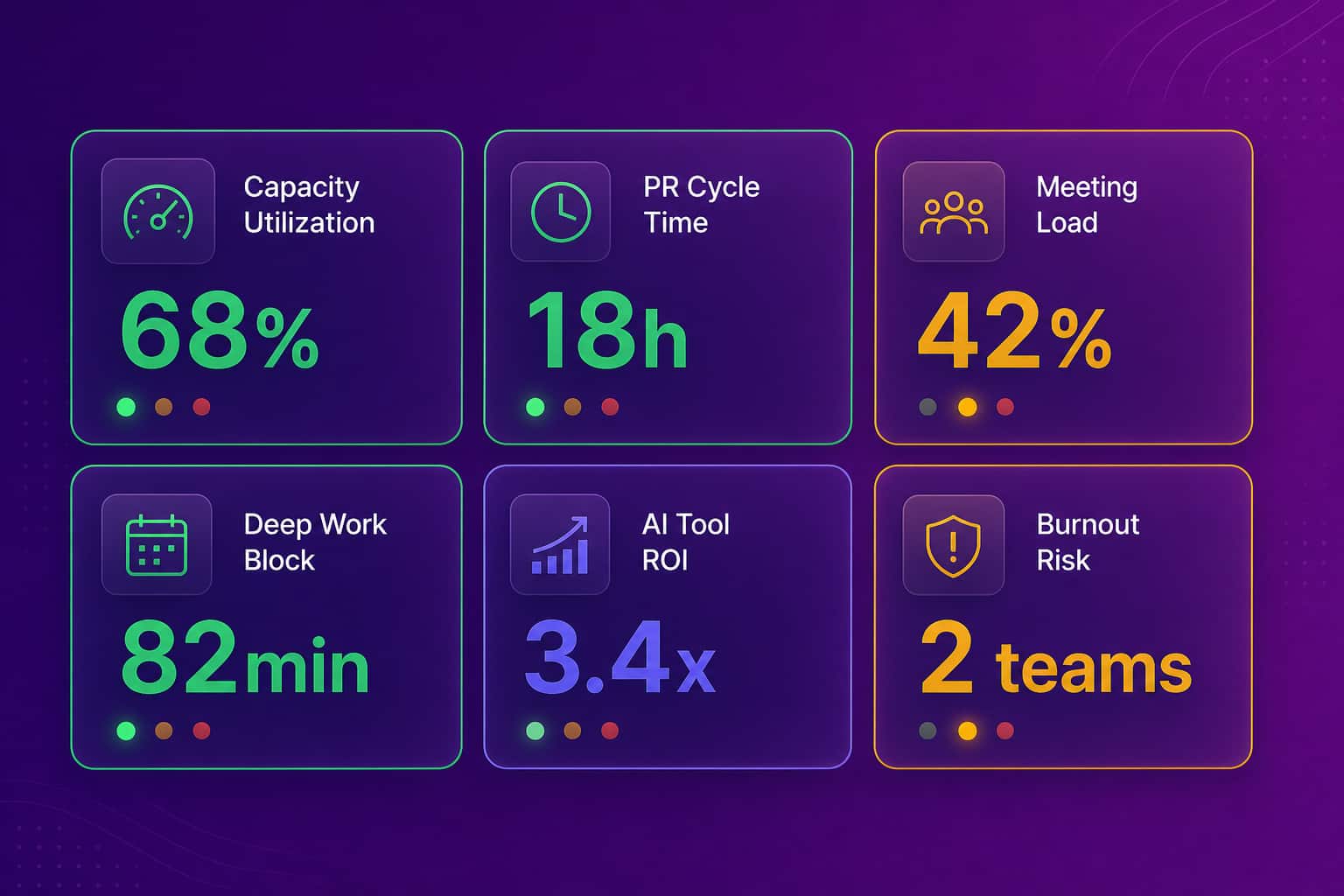
- Run a capacity utilization read every Monday. Pull the percent of every team's available hours that went into delivery work (Jira tickets shipped, PRs merged, customer calls held) versus internal coordination (meetings, status updates, reviews). A healthy ratio for a tech team sits around 60 to 70% delivery. We have seen teams running at 30%, all meetings, all the time.
- Track engineering velocity at the cycle level, not story points. PR cycle time, deploy frequency, change failure rate. Story points are gameable, cycle time is not. When a customer's engineering org dropped PR cycle from 72 hours to 18 hours after rewiring code review, they could see it in the data before the engineers noticed.
- Watch the deep-work block size for IC contributors. A 90-minute uninterrupted block is gold. Two 45-minute fragments are not the same thing. Calendar tools track this without any agent on the laptop.
- Measure AI tool ROI per role, not per license. Cursor, Copilot, ChatGPT Enterprise, Claude Code, M365 Copilot. Which seats are paying for themselves in shipped work, which are sitting idle, and which are quietly being used by the wrong role. The savings are concrete (the SaaS license optimization wedge recovers $50K to $100K a year for most mid-market customers).
- Read calendar density as a burnout signal. When meeting load creeps past 60% of a manager's week, or past 30% of an IC engineer's, deep work disappears and the work pattern flips. Abloomify catches this 60+ days before it shows up as turnover.
- Build one weekly view across all five. This is the thing that breaks for most operators. Not the data collection, the assembly. The leader at one of our customers said it best: "What I did manually this week in a spreadsheet is exactly what I think Abloomify should be doing automatically."
Signals over surveillance: the privacy-first model
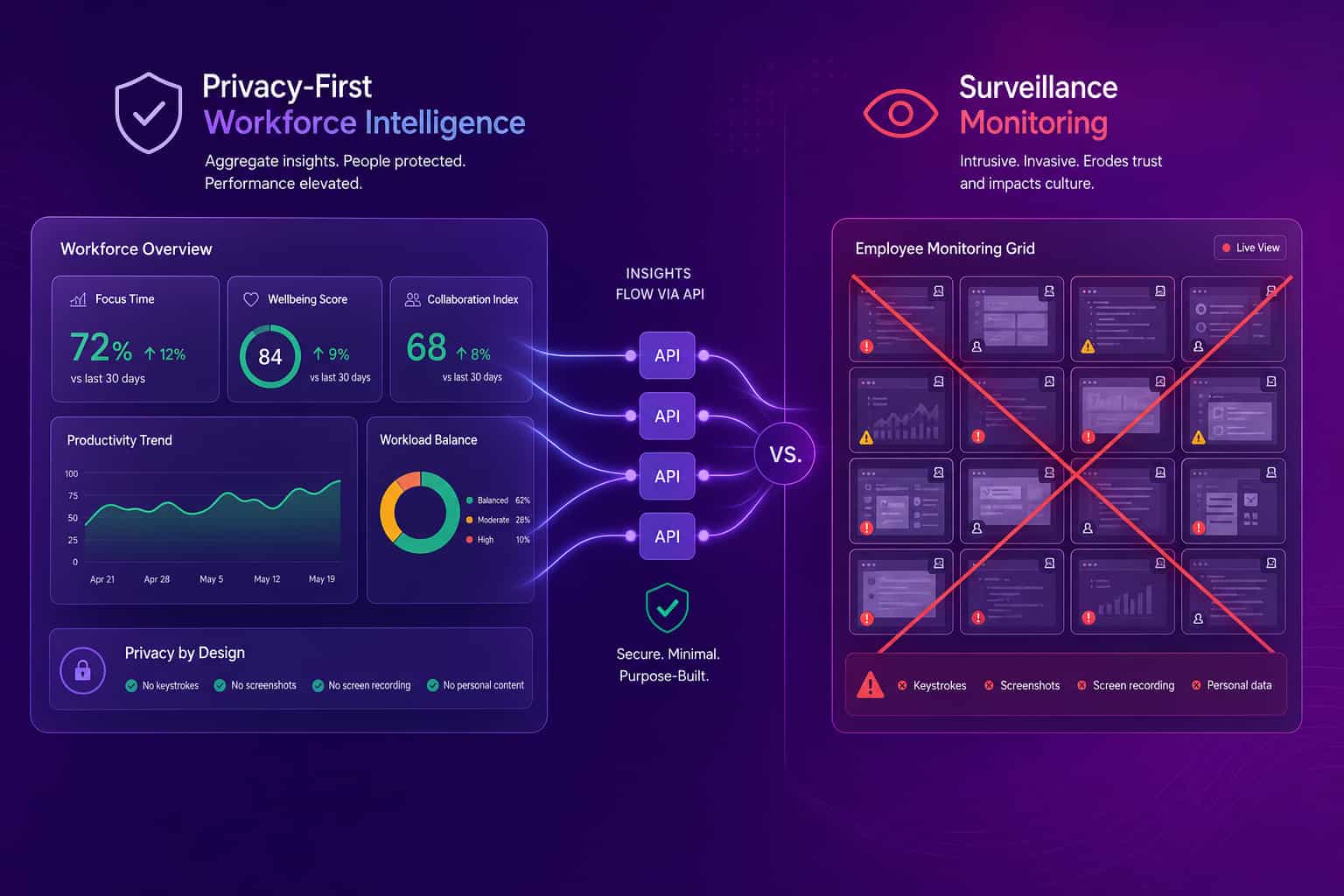
Privacy-first workforce intelligence is the only managing workforce model that holds up at a 2026 board meeting and a 2026 all-hands at the same time. The board wants the data. The team wants to know how the data was collected. The two have been treated as a tradeoff for two decades, with ActivTrak-style monitoring vendors arguing the leader has to pick visibility over trust, and engagement-survey vendors arguing they have to pick trust over visibility. Both are wrong. The data you actually need to run managing workforce sits in operational systems your team already uses (Jira, GitHub, Google Workspace, M365, Slack, Salesforce). Pulling PII-free metrics from those systems via API gives you the answer without capturing email content, message content, or file content. No screenshots. No keyloggers. No screen recording. The audit trail is clean, the GDPR conversation is clean, and the engineer who hates monitoring is fine because there is nothing to be against.
This is the architecture we shipped at Abloomify, and it is the wedge we lead with. Two data layers: 100+ API integrations across HRIS, communication, project management, code repos, sales tools, and AI tools, plus an optional privacy-first device agent on Mac and Windows that captures aggregated metrics (focus time, app categories) with no content capture. The result is a single view that answers the five Monday questions above, and an architecture that survives a SOC 2 audit (we are SOC 2 Type 2 certified) and an EU AI Act review.
What managing workforce looks like with Abloomify
Managing workforce with Abloomify replaces five tools and one Sunday-night spreadsheet with one view. The COO at a 400-person US fintech lives in capacity utilization, engineering velocity, AI tool ROI, and a manager-level risk heatmap, multi-threaded across COO, CTO, VP IT, and HR. A 50-person Canadian SaaS uses the engineering metrics and capacity views to keep a small team shipping at the pace of a bigger one. A 3,500-person enterprise started with Google Workspace engagement diagnostics for quiet-quitting risk, learned that single-source data under-proves the case (we publish that honestly because it matters for buyers), and now expands into engineering and capacity reads. The pattern across these teams: one read of the workforce, refreshed in real time, that the operating leader can run a Monday meeting from. The non-pattern: nobody is pulling spreadsheets at 11 PM.
The product surface that delivers this is built for tech operators, not HR power users. The AI Chief of Staff (we call it Bloomy) answers leadership questions across the same data, so a VP of Engineering can ask "who on the platform team is overloaded right now" or "which Cursor seats are not paying off" and get the answer without opening five tools. Bloomy reads the same signals Abloomify shows in dashboards and surfaces them as direct, on-the-record answers. For operations leaders evaluating this, the for-operations-leaders solution and the workforce analytics software guide are the right two doors. The people analytics examples piece is the third if your wedge is HR.
How to evaluate a workforce management approach in 2026
A useful evaluation framework for managing workforce in 2026 keeps three questions in front. First, does the approach answer the five Monday operator questions in one view, or does it answer one of them well and ignore the rest. Second, does it collect data via APIs and aggregated signals, or does it require screenshots, keyloggers, or screen recording (because the second one will cost you trust without buying you predictive signal). Third, does it cover the full work surface for a tech company, meaning HRIS, project management, code repos, communication, sales tools, and AI tools, or is it locked to one system of record. The answer most legacy WFM tools give to those three is "no, no, partial." The answer most monitoring tools give is "partial, no, partial." The answer a modern workforce intelligence platform should give is "yes, yes, yes," and that is the bar we hold ourselves to at Abloomify.
The mistake most operators make at this stage is overweighting the demo and underweighting the data model. A pretty dashboard that pulls from one system will not survive a quarter of real use. A boring view that pulls from twelve systems will compound. We have lost demos that ran 20 minutes shorter than the competitor's because we refused to make up numbers in the demo. We have won them when the data model matched the leader's actual week. Big companies bring ceremony. Operators bring outcomes.
FAQ
What is the difference between workforce management and managing workforce?
Workforce management as a software category usually means shift scheduling, attendance, and labor cost (ADP, UKG, Workday). Managing workforce as a leadership job in a tech company is broader, capacity, velocity, AI tool ROI, burnout risk. The first is a system of record. The second is a system of intelligence. They are not the same product, and confusing them is why so many tech operators end up running their job out of a spreadsheet.
What signals predict performance better than monitoring screenshots?
Pull request cycle time, ticket throughput, deploy frequency, meeting load percentage, deep-work block size, and AI tool engagement per role. All of these come from APIs of tools the team already uses (Jira, GitHub, Google Workspace, M365, Cursor, Copilot). The Personnel Psychology meta-analysis on monitoring found no evidence screenshots and keyloggers predict performance. Signals from the work surface do.
Can a 50-person company justify a workforce intelligence platform?
Yes, and the smaller the company, the higher the per-person stakes. One 50-person Canadian SaaS customer uses Abloomify for engineering metrics, device agent insights, and capacity utilization, at an annual price below what a single missed delivery slippage would cost. Smaller orgs usually start with engineering velocity plus capacity, then add AI tool ROI as Cursor and Copilot seats grow.
Does Abloomify replace our HRIS or our project management tools?
No. Abloomify pulls from HRIS (Workday, BambooHR, Rippling), project management (Jira, Linear, Asana), code repos (GitHub, GitLab, Bitbucket), communication (Slack, Teams), sales (Salesforce, HubSpot, Gong), and AI tools (Cursor, Copilot, Claude Code, ChatGPT). It is the intelligence layer above those systems, not a replacement. Most customers keep their HRIS and PM stack and add Abloomify on top.
How does Abloomify handle privacy and compliance when managing workforce?
Two data layers, both privacy-first. API integrations collect PII-free signals only, no email content, message content, or file content. Optional device agents on Mac and Windows collect aggregated metrics (focus time, app categories), no screenshots, no keyloggers, no screen recording. SOC 2 Type 2 certified, GDPR compliant by design, EU AI Act compliant, and available in private cloud or BYOC for customers who want single-tenant deployment.

Amir Tavafi
Co-Founder & CEO
Product leader and innovator with over 15 years of experience in the tech sector, grounded in AI and robotics. Previously led product development in fraud detection and AI solutions at Nasdaq Verafin.